
Last Updated on 2026年8月31日 by wallzhihu
Netflix VPN decision guide
Start with the subscribed plan, actual device and exact playback error. A higher speed number does not override Netflix account or VPN rules.
| Order | Provider | Best fit on this page |
|---|---|---|
| 1 | StrongVPN | Annual-value streaming test |
| 2 | ExpressVPN | Premium app and support comparison |
| 3 | Surfshark | Many-device household |
| 4 | FlowVPN | Short playback compatibility test |
Netflix can restrict VPN playback and does not support VPNs for live events or the ad-supported experience. Keep a direct-connection fallback.
A useful Netflix VPN guide begins with the account, title, device and exact error. Catalogs and plan features vary, while Netflix can limit VPN playback, so the result must be tested on the subscription and screen you actually use.
However, Netflix libraries vary by country due to licensing restrictions. This means the shows available in one region may not be accessible in another. For travelers, expats, or anyone who wants to check a subscribed Netflix account while traveling, a VPN may change the location Netflix detects, but playback and catalog availability are not guaranteed.
This guide will walk you through:
- What Netflix is & why its libraries differ by region
- How to access different Netflix libraries while traveling abroad
- The best VPNs for streaming Netflix in 2026 (compared for setup and troubleshooting)
- Step-by-step instructions for downloading and setting up Netflix + VPN
You’ll also find current provider offers on top-rated VPNs and detailed tutorials so you can test playback on the account and device you actually use.
Netflix VPN reliability matters more than one speed result
For Netflix, the best VPN is not always the one with the highest speed-test number. What matters is whether the app opens quickly, the streaming account stays stable, the server is not overloaded during prime time, and support can help when a route stops working.
| Need | Best fit | Why |
|---|---|---|
| Everyday value | StrongVPN | Better long-term primary VPN path. |
| Premium streaming | ExpressVPN | Best fit when app polish and live support matter. |
| Trial first | FlowVPN | Useful when you want to test your account and device first. |
Live sports and streaming apps are time-sensitive. Test your VPN before the event, not five minutes before kickoff.
Use the English VPN guide · Read the restrictive-network guide
What changes when Netflix sees a VPN
Netflix licenses titles by region and also applies account, plan, device and network rules. A VPN changes the public route Netflix sees; it does not rewrite the subscription or guarantee a specific catalog.
Use this guide for a subscribed account while traveling, privacy on an untrusted network and playback troubleshooting. Check the exact title, device and plan instead of assuming that one successful browser test applies to every app.
When a VPN is useful for Netflix
- Travel: test how an existing account behaves away from its normal network.
- Public Wi-Fi: encrypt traffic on a hotel or airport connection while still checking for phishing and fake hotspots.
- Route comparison: compare direct playback with a nearby endpoint when an ISP route is unstable.
- Troubleshooting: identify whether the problem is the account, plan, device, network, server or VPN detection.
A VPN is not essential for ordinary Netflix use, and Netflix may restrict what is shown when it detects one. Keep a direct-connection fallback.
Netflix VPN Speed & Value-for-Money Verdict
Not all VPNs work well with Netflix. Some are blocked, while others are simply too slow for HD or 4K streaming.
In this section, we compare Netflix-compatible VPNs based on:
- Streaming speed and stability
- Ability to bypass Netflix geo-blocks
- Server coverage across major regions
- Overall price-to-performance ratio
Below are our test results and recommendations for the best VPNs for Netflix.
VPN Speed and Reliability Test – September 2026
We compare measured regional performance, connection recovery, streaming reliability, and the setup friction readers encounter on real devices.
1. VPN price and subscription comparison
2. Global route speed comparison
Global speed table
| Region | StrongVPN | ExpressVPN | Surfshark | FlowVPN | NordVPN |
|---|---|---|---|---|---|
| North America | 69.4 | 68.2 | 62.2 | 62.7 | 63.0 |
| Europe | 75.5 | 80.2 | 73.6 | 72.0 | 78.5 |
| Oceania | 63.3 | 57.8 | 56.1 | 55.2 | 57.0 |
| Asia | 78.9 | 76.1 | 71.2 | 70.2 | 75.4 |
| Central Asia | 52.5 | 50.0 | 50.1 | 47.6 | 52.4 |
| South America | 56.6 | 55.7 | 54.5 | 52.8 | 53.0 |
| Africa | 49.9 | 51.0 | 48.5 | 44.6 | 47.3 |
| Mbps | Mbps | Mbps | Mbps | Mbps | Mbps |
3. Asia route speed comparison
Asia speed table
| Region | StrongVPN | ExpressVPN | Surfshark | FlowVPN |
|---|---|---|---|---|
| Japan | 57.5 | 61.2 | 56.8 | 55.6 |
| Singapore | 53.7 | 52.2 | 48.1 | 49.8 |
| Taiwan | 63.9 | 59.1 | 50.7 | 56.0 |
| South Korea | 50.2 | 51.0 | 44.9 | 44.8 |
| Mbps | Mbps | Mbps | Mbps | Mbps |
4. Connection success rate by region
Connection success rate
| Region | StrongVPN | ExpressVPN | Surfshark | FlowVPN | NordVPN |
|---|---|---|---|---|---|
| North America | 95.7 | 97.8 | 92.8 | 96.1 | 97.3 |
| Europe | 95.2 | 95.2 | 97.6 | 89.8 | 97.8 |
| Oceania | 97.0 | 93.6 | 91.2 | 94.2 | 86.8 |
| Asia | 95.8 | 94.7 | 94.6 | 96.5 | 89.7 |
| Central Asia | 94.2 | 95.2 | 97.0 | 90.3 | 98.0 |
| South America | 95.1 | 97.0 | 90.1 | 89.5 | 95.4 |
| Africa | 93.1 | 95.6 | 97.6 | 94.2 | 97.2 |
| % | % | % | % | % | % |
5. Streaming / Netflix route test
Streaming test rounds
| Region | StrongVPN | ExpressVPN | Surfshark | FlowVPN |
|---|---|---|---|---|
| Round 1 | 63.6 | 73.8 | 75.0 | 67.7 |
| Round 2 | 67.1 | 65.2 | 79.1 | 65.7 |
| Round 3 | 76.5 | 57.3 | 67.2 | 74.2 |
| Round 4 | 64.0 | 65.2 | 67.4 | 66.8 |
| Round 5 | 58.6 | 79.2 | 69.3 | 69.0 |
| % | % | % | % | % |
| VPN | Trial/refund | Payment | Devices | Best for |
|---|---|---|---|---|
| StrongVPN | 30-day refund | Card / PayPal | 5 | StrongVPN: our first value pick for a straightforward annual plan |
| ExpressVPN | 30-day refund | Card / PayPal | 8 | ExpressVPN: the premium choice for polished apps and recovery |
| Surfshark | 30-day refund | Card / PayPal | Unlimited | Surfshark: strongest value when a long plan and many devices fit |
| FlowVPN | Short trial | Card (confirm at checkout) | Unlimited | FlowVPN: a short trial path for checking your own connection |
Results vary by location and route. If a line slows down, change protocol or node before switching services.
Detailed Recommendations for the Best VPNs
2026 VPN Recommendation – StrongVPN

| Free Trial | 24/7 Support | 5 devices | 30-Day Money-Back Guarantee |
|---|---|---|---|
| ✅ | ✅ | ✅ | ✅ |
Competitive pricing, excellent performance, and reliable security
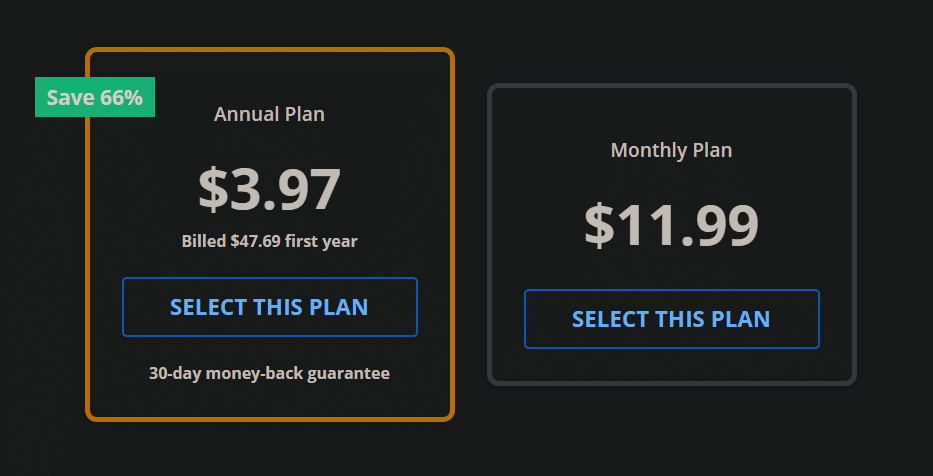
StrongVPN is a rapidly growing VPN provider with infrastructure across the United States and Europe. Compared to market leaders like ExpressVPN, StrongVPN offers significantly more affordable plans, starting at just USD $3.97 per month on its annual subscription (about USD $47.69 total). ExpressVPN, by contrast, costs nearly $6 per month on similar terms.
Despite its lower price, StrongVPN maintains a dedicated technical team that continuously upgrades its servers to ensure fast, stable performance. Whether you're browsing, streaming Netflix or YouTube, gaming, or accessing social media securely, StrongVPN is a highly reliable choice.
The company promotes itself as “the best VPN for streaming media”, offering full compatibility with Netflix, Hulu, HBO, Amazon Prime Video, Disney+, and more.
StrongVPN also supports a wide range of devices, including:
- Windows
- macOS
- iOS
- Android
- Amazon Fire TV
- Chrome and Firefox extensions
- Manual setup guides for routers, Fire TV, and Kodi
The service currently operates over 950 P2P-friendly servers across 35+ countries and 46 cities.
StrongVPN supports multiple secure VPN protocols:
OpenVPN, IKEv2, L2TP, SSTP, and the modern WireGuard protocol.
Users benefit from 24/7 customer support (live chat + email) and a no-question 30-day money-back guarantee.
StrongVPN Test Results —September 2026
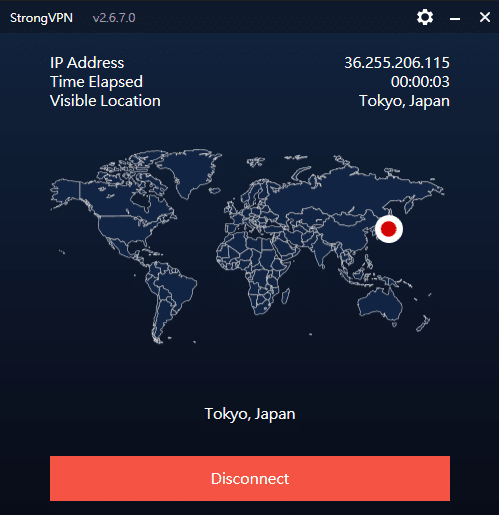
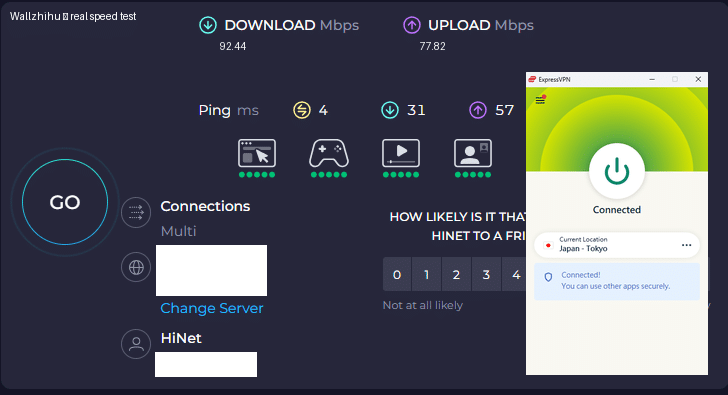
In addition to our own internal evaluations, we include real screenshots of speed test results—including tests on distant servers such as Japan—to provide transparent and verifiable data. This ensures our review avoids exaggerated or unfounded claims often found on other VPN comparison sites.
Key Features of StrongVPN:
- Wide platform support across computers, mobile devices, smart TVs, and routers
- Allows up to 12 simultaneous connections—ideal for families or multiple devices
- Unblocks major streaming platforms (Netflix, Amazon Prime Video, Disney+, Hulu, HBO)
- Includes 250 GB of SugarSync cloud storage with annual plans
- More than 950 P2P-friendly servers in 35+ countries
- Supports modern, secure protocols: WireGuard, OpenVPN, IKEv2, L2TP, SSTP
- 30-day money-back guarantee, no hassle
- 24/7 customer support via live chat and email
- Strict no-logs policy—your browsing data is never tracked or stored
- Highly competitive pricing, cheaper than ExpressVPN, Surfshark, and many EU/US providers
- Outperformed ExpressVPN in recent speed and server availability tests
- Strong connection stability, even over long distances
- Annual plan starts at USD $3.97/month (USD $47.69 for the first year)
Recommendation #2: ExpressVPN – Choose the annual ExpressVPN plan (confirm the current offer at checkout)
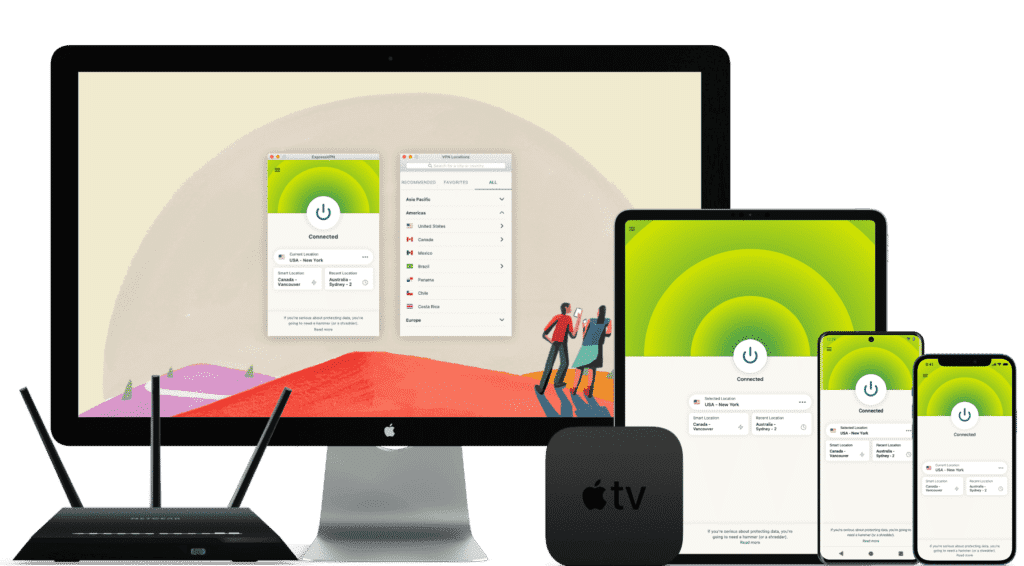
ExpressVPN is one of the world’s leading VPN services, known for its massive infrastructure, consistently high speeds, and rapid server updates. With over 3,000 servers in 94 countries and 160+ locations, it provides fast, secure, and highly reliable connections. It’s ideal for unblocking Netflix and other streaming platforms, and it fully supports torrenting with a strict no-logs policy.
Its interface is user-friendly, making it suitable for beginners and advanced users alike.
While ExpressVPN is more expensive than many competitors, the premium performance and global reliability justify the cost.
⚡Performance:
In speed tests conducted in September 2026, ExpressVPN ranked as one of the fastest and most stable VPNs available, offering consistently high performance across long-distance and local connections.
⭐ Key Features of ExpressVPN
- 3,000+ servers in 94 countries and 160+ global locations
- Massive worldwide user base and strong industry reputation
- Fast server recovery and updates when firewalls or blocks are detected
- 30-day money-back guarantee, no questions asked
- 24/7 customer support via live chat and email
- Apps for Windows, macOS, Android, iOS, Linux, and more
- Compatible with Apple TV, Fire TV, PlayStation, Chromebook, Kindle, etc.
- Supports various payment methods, including Bitcoin and other cryptocurrencies
- Enterprise-grade encryption for maximum security and privacy
- Constant optimization to bypass firewalls and maintain stable, unrestricted access
🔀 Detailed Explanation: VPN Split Tunneling (How It Works)
VPN split tunneling is a feature that lets you use your VPN connection and your regular local internet connection at the same time. This means you can control which traffic is protected through the VPN and which traffic goes directly through your local network.
With split tunneling, you can:
- Route sensitive apps (browser, streaming, downloads) through the VPN
- Keep local resources (printers, LAN devices, internal servers) outside the VPN for faster access
This provides greater flexibility, improved performance, and more efficient bandwidth usage.
⚙️ How Does It Work Technically?
Split tunneling is implemented by modifying your device’s routing tables, assigning specific traffic to the encrypted VPN tunnel and the rest to your local network.
This separation allows your device to maintain two simultaneous paths:
one encrypted (VPN) and one direct (local).
⚠️ Precautions
While split tunneling is useful, it also has security considerations:
- Traffic routed outside the VPN is not encrypted
- Sensitive data may be exposed if incorrectly configured
- Local network vulnerabilities can affect unprotected traffic
Therefore, it’s important to evaluate which apps truly need protection and ensure your VPN provider offers strong security protocols, leak protection, and robust privacy policies before enabling split tunneling.
Recommendation #3: Surfshark— Protect Unlimited Devices
Surfshark is one of the newer VPN providers on the market, but it has quickly become extremely popular thanks to its competitive pricing and one standout feature almost no other service offers: unlimited simultaneous connections.
This means you can protect every device you own — and even share your account with family members — without paying extra.
If you want to save money while still getting secure browsing, smooth streaming, and reliable performance, Surfshark is an excellent value.
⚡ Fast Speeds — Surfshark Review (Tested September 2026)
Below is a complete overview of Surfshark’s core features, based on our hands-on testing.

Key Features of Surfshark VPN
- 🔐Advanced Encryption: Uses AES-256 encryption and secure protocols such as OpenVPN, IKEv2/IPSec, and WireGuard to ensure top-tier data protection.
- 🌍 Large Server Network: Over 3,200 servers in 65 countries, ideal for faster connections and accessing global content.
- 🚀 Speed & Stability: Consistent high speeds for HD streaming, downloading, gaming, and everyday browsing.
- 🛡️ Strict No-Logs Policy: Does not store your browsing history, IP address, or online activity.
- 📱 Unlimited Device Connections: Protect as many devices as you want — no limits, no restrictions.
- 💻 Cross-Platform Compatibility: Apps for Windows, macOS, Linux, Android, iOS, plus browser extensions for Chrome and Firefox.
- 🧹 CleanWeb Feature: Blocks ads, trackers, malware, and phishing sites automatically.
- 👨💻 24/7 Customer Support: Live chat, email support, and a detailed knowledge base with guides and tutorials.
- 💰 30-Day Money-Back Guarantee: Try it risk-free for an entire month.
💵 Pricing & Plans
Surfshark’s best value is its 24-month plan, costing roughly $2.30 per month.
Payment methods include credit/debit cards, PayPal, cryptocurrencies, Amazon Pay, and Google Pay.
⭐ Final Verdict: Surfshark is a young but powerful VPN with excellent value for the price, advanced security features, and the rare advantage of unlimited device connections. It’s an ideal choice for anyone who wants strong privacy protection and unrestricted access to the internet across all their devices.
⭐ Recommendation #4: FlowVPN— Short trial option (confirm the current terms at checkout)
| Protocol / method | short trial (confirm terms at checkout) | 24/7 support | 5 devices | 30-Day Money-Back Guarantee |
|---|---|---|---|---|
| SSR | ✅ | ✅ | ✅ | ✅ |
FlowVPN has gained traction in recent years as a reliable and budget-friendly VPN solution, especially as many traditional VPN services struggle to keep up with evolving network blocks and filtering technologies. Based on our hands-on testing, FlowVPN delivers solid speed, stable performance, and dependable daily use.
FlowVPN allows up to five simultaneous device connections, supports a wide range of servers across multiple regions, and includes 24/7 customer support with multilingual assistance available. Its two-day free trial makes it easy to test the service without any commitment.
This provider has become popular among students and budget-conscious users thanks to its low-cost plans, ease of use, and functional performance, making it an excellent choice for everyday browsing, streaming, and privacy protection.
⭐ Key Features of FlowVPN
- short trial (confirm terms at checkout) with full access
- Unlimited server switching
- Supports up to 5 devices simultaneously
- 24/7 customer support, including Spanish-language assistance
- User-friendly interface, ideal for beginners
- Affordable plans, perfect for students and light users
- Stable speed and performance (tested September 2026)
- Money-back guarantee
- Wide compatibility with major platforms
Flexible pricing and practical plans make FlowVPN a budget-friendly option, especially for students, short-term travelers, and users who want to test a VPN before committing to a longer subscription.
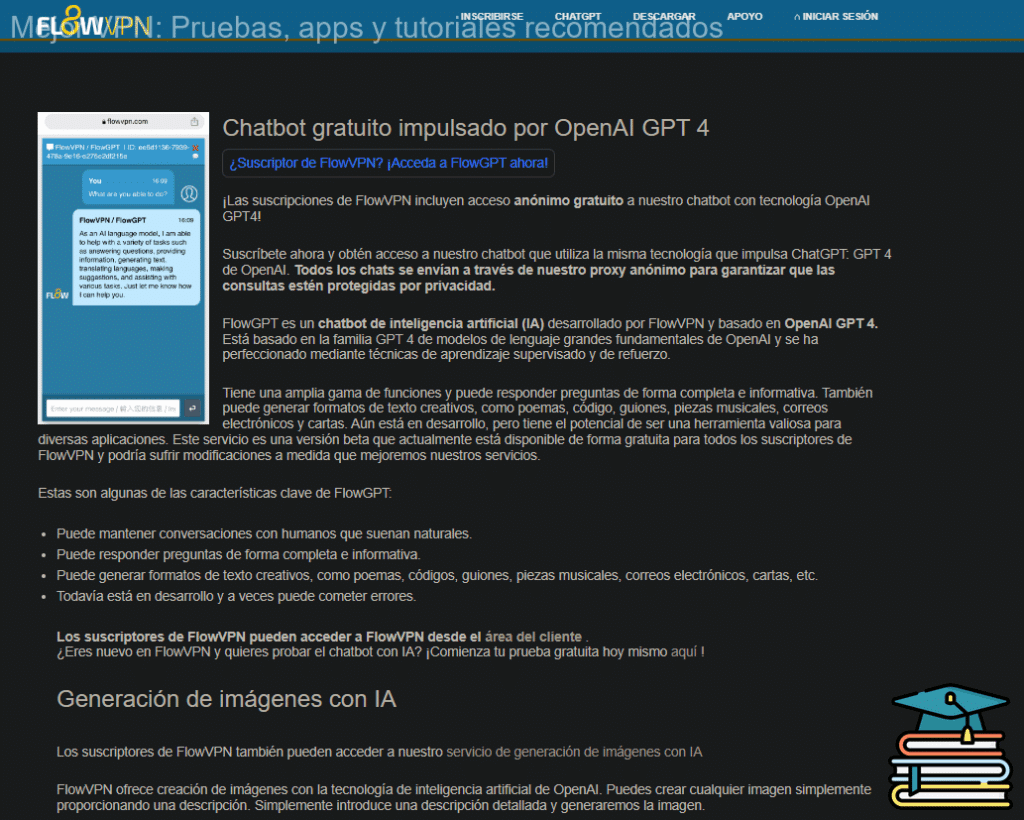
🎨 Bonus Feature: Built-In OpenAI Image Generation
FlowVPN offers a unique extra feature not found in most VPN services:
built-in access to AI image generation powered by OpenAI.
Simply enter a text description and generate original images instantly.
This is especially useful for:
- Content creators
- Students
- Designers
- Social media users
- Anyone experimenting with AI tools
💵 Pricing & Plans
FlowVPN offers flexible, low-cost plans designed to fit individual needs.
Its pricing is especially attractive for:
- Students
- Casual users
- Anyone looking for a budget-friendly VPN with reliable performance
FlowVPN remains one of the best low-cost options on the market.
📺 FlowVPN for Apple TV (tvOS 17 Support)
FlowVPN is the first VPN app specifically designed for Apple TV, taking full advantage of Apple’s new VPN support introduced in tvOS 17.
You can now enjoy secure, private streaming on Apple TV with access to servers in 60+ countries — perfect for watching international content or protecting your home network.
FlowVPN has released its first Apple TV version through Apple’s TestFlight beta program.
How to Install FlowVPN on Apple TV (TestFlight Beta)
- Open TestFlight on your Apple TV and install FlowVPN.
- If you don’t have a FlowVPN account yet, create one and start your free trial.
- Download TestFlight on your iPhone, iPad, or Mac.
- Join the FlowVPN Apple TV beta through the invitation link.
- Install TestFlight from the App Store on your Apple TV running tvOS 17 beta.
FlowVPN’s early support for Apple TV makes it one of the easiest and most flexible VPNs for streaming on large screens.
How to Download & Watch Netflix with a VPN (Step-by-Step Guide)
Below is a simple, beginner-friendly guide showing you how to access Netflix smoothly using a VPN. Even if you’ve never used a VPN before, you can follow these steps without any technical background.
Step 1: Download and Activate ExpressVPN
Before continuing, make sure you’ve already downloaded ExpressVPN on your device.
Once installed, open the app and connect to a server.
If you’re setting this up on a mobile device, ExpressVPN has official apps for both iOS and Android, and the setup process only takes a few minutes.
After the VPN is connected, you’re ready to move on.
Step 2: Create or Log in to Your Netflix Account
With the VPN turned on, go to the official Netflix website and sign up using your email address, or log in if you already have an account.
Netflix offers different subscription plans. For most users, the Standard plan is more than sufficient, and you can always upgrade or downgrade later if needed. Prices may vary depending on region and current promotions.
Payment is typically made via Visa or MasterCard, and most international credit cards work without issues. Netflix may temporarily charge a small amount to verify your card, which is refunded shortly after confirmation.
If you’re unsure whether Netflix is right for you, you can simply try it for a month and decide later.
Important Notes About Using Netflix with a VPN
Netflix's current VPN limitations
Netflix says a VPN can cause the service to show only titles with worldwide rights. VPNs are not supported for Netflix live events or on the ad-supported experience. If a location or playback error continues, compare the same account without the VPN, check the detected country on fast.com, and restore default network settings before assuming the subscription is broken.
Netflix officially states that VPN usage is not supported, and in rare cases, accounts may temporarily lose access to certain content.
That said, some paid VPNs provide faster support and more server choices for troubleshooting, using advanced technology to reduce detection and minimize interruptions. This is one of the main reasons we consistently recommend ExpressVPN over free or low-quality alternatives.
If you want to watch content from a specific country, simply connect to a VPN server in that region first, then open Netflix.
How to Use Netflix After Setup
Netflix itself is extremely easy to use. Once logged in, just search for the show or movie you want to watch and start streaming.
For official usage tips and supported features, you can always refer to Netflix’s own help center.
Warning: Avoid “Free Netflix Hacks” or Cracked Accounts
You may see claims online about “free Netflix,” “cracked Netflix accounts,” or “Netflix.” Do not trust these.
No legitimate service gives away paid subscriptions for free. In most cases, these offers come with serious risks, such as stolen personal data, compromised credit card information, or malware infections.
If something sounds too good to be true, it usually is. Stick with official subscriptions and reputable VPN services to stay safe.
Netflix VPN tests by device
A result on a laptop does not prove that the same VPN will work on a phone, television or game console. Test each viewing path separately and keep the direct connection available while diagnosing a failure.
| Device | First check | Common failure |
|---|---|---|
| Windows, macOS or Linux browser | Private window, DNS result and browser location permission | Old cookies or a browser session still carries the previous location |
| Android, iPhone or iPad | Official VPN and Netflix apps, VPN permission and background reconnect | The phone changes from Wi-Fi to mobile data and drops the tunnel |
| Smart TV or game console | Whether the device supports a VPN app, router connection or documented alternative | The TV uses different DNS or network settings from the phone used for testing |
| Router | Supported firmware, device assignment and a direct-network fallback | One router location affects every connected device and complicates troubleshooting |
Account and plan checks
Netflix changes plan names, simultaneous-stream limits, download rules, advertisements and household controls. Read the features shown inside the current account instead of relying on an older device-count table.
- Confirm that the same title plays without the VPN on the same device.
- Reconnect once, fully close Netflix and reopen it before changing servers again.
- Record the exact error, device, app version, server and protocol for support.
- For a television, test the native app and browser separately when both are available.
A controlled five-minute playback test
Use one title, one device and one network so the result is reproducible. Start without the VPN, note the startup time and resolution, then connect to the nearest suitable server and repeat. If playback fails, do not jump through random countries: close Netflix, verify the detected location, reconnect once and repeat the same title.
- Run a direct-connection control test.
- Connect to one documented server and confirm the detected country.
- Open Netflix fresh and play the same title for several minutes.
- Check startup delay, buffering and resolution rather than a speed test alone.
- Switch from Wi-Fi to mobile data only as a separate test.
- Save a direct fallback before setting up a television or router.
Netflix pricing by country: check the live account page
Netflix prices, plan names, advertisements, taxes and simultaneous-stream limits vary by country and can change without notice. A table copied from an older comparison can therefore be wrong even when its currency conversion is accurate.
| Check | Why it matters |
|---|---|
| Price shown inside your Netflix account | This is the amount tied to the current market, plan and billing method. |
| Tax and billing currency | The card issuer may add tax or currency-conversion costs. |
| Plan features | Advertisements, downloads, resolution and household rules are not identical everywhere. |
| Payment acceptance | A location change does not guarantee that a card or gift code will be accepted. |
| Terms of use | Do not treat a VPN as a guaranteed way to obtain another country's price. |
Use the VPN for privacy and a controlled travel test, not as a promise of a cheaper subscription. Confirm the final charge and plan features on Netflix before paying.
Should you self-host a VPN for Netflix?
A self-hosted VPN gives you control over one server and its maintenance. It does not automatically provide the rotating locations, support, app coverage or streaming compatibility of a commercial service.
| Question | Self-hosted server | Commercial VPN |
|---|---|---|
| Who patches it? | You | Provider |
| Locations | Usually one or a few | Multiple provider locations |
| IP reputation | Cloud address may be recognized | Varies by server and service |
| Apps | Manual or third-party setup | Provider apps on supported platforms |
| Cost | Server, traffic and maintenance | Subscription and renewal |
Self-hosting can make sense for secure access to your own network or for an advanced user who wants to manage the server. It should not be sold as a guaranteed Netflix workaround or a universally cheaper option.
Common Netflix VPN issues
Netflix shows a VPN or proxy error
Confirm the country shown by fast.com, close Netflix, try one alternate endpoint and reopen the app. If the error continues, compare the same account without the VPN and contact the VPN provider with the exact error.
The catalog looks smaller
Netflix says VPN users may see only titles with worldwide rights. The ad-supported experience and Netflix live events do not support VPN use.
Video buffers after connecting
Run a direct baseline, test a nearby endpoint, check Wi-Fi quality and compare the same title and resolution. Do not treat a distant server as the default fastest route.
Can the same subscription be used on several devices?
VPN and Netflix device allowances are separate. Verify both live plans and test each operating system; a phone result does not prove that a TV app or router setup will work.
Does Netflix Have a Free Version?
No. Netflix does not offer a free plan or free trial.
That said, Netflix is very flexible. There are no long-term contracts and no cancellation fees. You can sign up, use all features normally, and cancel anytime if you decide it’s not for you. If you’re unhappy, simply cancel online—no questions asked.
What About “Netflix Cookies”?
What Is a Netflix Cookie?
A Netflix cookie is a small piece of data stored in your browser that remembers your login session. Each cookie has an expiration date, and once you log out of Netflix, that cookie becomes invalid.
Some people claim that sharing Netflix cookies allows others to access an account without paying. In theory, this sounds possible—but in reality, it rarely works.
Is Using Netflix Cookies Reliable or Safe?
Not really.
- Cookie-based access is unstable and usually expires quickly
- Success rates are very low
- Sharing cookies can expose personal or account data
- Netflix actively blocks suspicious or reused sessions
If something promises “free Netflix” through cookies or similar tricks, it’s best to avoid it. These methods are unreliable at best and risky at worst.
Bottom Line
Netflix does not offer a free version, and shortcuts like shared cookies are not a safe or dependable solution. The safest approach is to subscribe officially and, if needed, follow Netflix's current terms and use only your own subscription and official apps.
Streaming services outside Netflix
Prices, catalogs, ads and device support change by country and plan. Use the official pages below to compare the live offer rather than relying on an old fixed-price table.
- Hulu: US-focused catalog and live-TV options on selected plans.
- Amazon Prime Video: availability can be bundled with Prime or offered separately by market.
- HBO/Max: branding, catalog and plans vary by region.
- Apple TV+: focuses on Apple originals and supports multiple platforms.
- Peacock: US availability, plans and sports rights should be checked directly.
Choose the streaming subscription first. A VPN is a separate network tool and cannot create an account, change payment eligibility or guarantee a regional catalog.
A repeatable Netflix VPN test protocol
A useful test keeps the account, title, device, resolution and network constant. If all of those change at once, a successful or failed stream does not reveal which layer caused the result.
- Start direct: sign in without the VPN and confirm that the account, plan and title work normally.
- Record the baseline: note playback start time, selected resolution, buffering and the connection result from fast.com.
- Connect nearby: use a nearby endpoint first to separate ordinary VPN overhead from a long-distance route.
- Verify location: check the country detected by fast.com before opening Netflix.
- Restart the session: fully close and reopen the browser or app instead of repeatedly refreshing a stale session.
- Change one variable: if playback fails, try one second endpoint in the same country before changing protocol, device or account.
- Save the fallback: record the working endpoint and direct-connection route before travel or a scheduled program.
Browser, phone and TV tests are different
| Device route | What commonly differs | What to test |
|---|---|---|
| Desktop browser | Cookies, extensions, DNS and browser location | Private window, detected country and hardware acceleration |
| Android or iPhone app | App cache, VPN permission and Wi-Fi handoff | Force close, reopen, sleep/wake and mobile-data switch |
| Android TV or Fire TV | TV app version, store region and device resources | Official VPN app, restart and remote-control usability |
| Apple TV or smart TV | Native app availability, router or DNS setup | Supported setup path and a direct fallback |
| Router | All household traffic shares one tunnel | Router load, per-device routing and recovery after reboot |
| Cast or AirPlay | Phone and receiver may appear on different networks | Local-network discovery and matching routes |
Do not report that a VPN “works with Netflix” after only one browser test. The device named in the recommendation should be tested directly, and a TV setup should include a recovery path that another person in the household can follow.
Separate account problems from VPN problems
| Result | Likely layer | Next action |
|---|---|---|
| Login fails with and without VPN | Account or password | Use Netflix account recovery before changing servers |
| Only the VPN route fails | Detected location or route | Check fast.com, restart the session and try one alternate endpoint |
| Only one device fails | App, cache or operating system | Update, restart and compare a browser on the same network |
| All video buffers | Local network or ISP route | Run a direct baseline and compare Wi-Fi with Ethernet or mobile data |
| Catalog is limited | Netflix licensing or VPN detection | Check the plan and current Netflix VPN rules |
| Live event will not play | Netflix plan and VPN limitation | Use the supported direct connection |
| Payment or signup fails | Billing country or account eligibility | Stop changing locations and follow Netflix billing support |
How to read a speed result for streaming
Download speed is only one part of a stream. Playback also depends on latency, jitter, packet loss, Wi-Fi stability, device decoding, Netflix congestion and the route between the VPN server and Netflix. A very high result on an empty speed-test server can still produce poor playback on a different route.
- Start time: measure how long the same title takes to begin.
- Resolution stability: note whether quality drops during the first ten minutes.
- Seek recovery: skip forward and see whether playback recovers cleanly.
- Peak hours: repeat the test when the household normally watches.
- Reconnect: lock the phone or restart the TV and confirm that the route returns.
- Consistency: compare several runs rather than publishing the single highest number.
Server switching without random trial and error
When a stream fails, repeatedly jumping between countries can create more account and session confusion. Use a controlled order: a second endpoint in the same country, a fresh app session, one alternate protocol, then a direct comparison. Stop after you have enough evidence to contact support.
- Write down the failed server and exact time.
- Keep the title and device unchanged.
- Do not clear every account setting before recording the error.
- Provide support with the app version, protocol and detected country.
- Use the direct connection for an urgent live or time-sensitive program.
Privacy and household safety
A VPN protects the route between the device and VPN service. It does not protect a Netflix password shared through an unsafe message, prevent phishing, remove malware or authenticate a public hotspot. Use a unique account password, enable available account protections and review active devices.
For a shared household, decide who controls the VPN subscription, Netflix billing and router settings. Record the renewal dates and recovery emails separately. Avoid unofficial “Netflix cookie” tools, shared paid accounts from strangers and modified VPN apps.
Travel preparation
- Install and update the official apps before departure.
- Sign in and confirm account recovery while on the normal home connection.
- Test hotel-style Wi-Fi by moving between networks and captive portals.
- Save two working VPN endpoints and the provider's support contact.
- Download permitted offline titles as a fallback when the Netflix plan and title support it.
- Keep a direct connection available for live events, billing and account verification.
Checkout, trial and refund questions
The monthly equivalent in an advertisement can differ from the amount charged today. Before subscribing, record the plan term, upfront total, renewal amount, currency, tax, device allowance and cancellation path. A money-back period is not the same as a free trial, and app-store purchases can follow different refund rules from website purchases.
Use a trial or refund window to test the actual Netflix plan and device, not just a speed-test page. If the result is unsuitable, cancel through the correct seller before the deadline and keep the confirmation.
What to send VPN support
- Device and operating-system version.
- VPN app version and protocol.
- Server name and connection time.
- Country shown by fast.com.
- Netflix app or browser and plan type.
- Exact error code or a screenshot without personal data.
- Whether the same account works without the VPN.
This information is more useful than saying that Netflix is simply “blocked.” It lets support distinguish an account rule, a detected route, an overloaded endpoint and a device-specific failure.
Final Netflix checklist
- The Netflix plan supports the intended device and does not conflict with current VPN limitations.
- The live VPN checkout, renewal and refund or trial deadline are recorded.
- The same title is tested directly and through one nearby endpoint.
- A second endpoint and direct-connection fallback are saved.
- No shared cookie, cracked account or unofficial installer is used.
Start with StrongVPN for annual value, compare ExpressVPN when app support matters, consider Surfshark for many devices, and use FlowVPN only when its current trial terms fit a short compatibility test.