
Last Updated on 2026年8月31日 by wallzhihu
A Chrome VPN extension and a full-device VPN solve different problems. An extension may cover only browser traffic, while the desktop app can also protect email, games, downloads, and background services. Start by deciding which traffic needs the tunnel instead of installing the first extension that promises a new location.
Install only from the provider's official page or verified Chrome Web Store publisher. After connecting, check the visible IP, DNS requests, and WebRTC exposure, then close and reopen Chrome to confirm the protection survives a normal restart. Read requested permissions before approving them.
- StrongVPN: first comparison for annual full-device value.
- ExpressVPN: premium path when browser workflow, app polish, and support matter more.
- Surfshark: useful for many devices and browser controls on a longer plan.
- FlowVPN: test-first alternative; verify current browser support before paying.
This guide keeps browser-only and full-device results separate, then compares installation source, traffic coverage, checkout terms, speed, and recovery after a connection failure.
Chrome extension or full-device VPN app?
StrongVPN is our first value comparison for protecting the whole device, including Chrome; it is not presented here as a browser-only extension. ExpressVPN and Surfshark offer browser extensions, but extension-only mode protects browser traffic rather than every app on the device.
- Choose a full VPN app for public Wi-Fi, email, downloads, games, and other apps.
- Choose an extension when you only need fast browser control and understand its traffic scope.
- Install only from the provider's official setup page or verified browser store listing.
Quick verdict
Browser protection: Best Chrome VPN Extensions in 2026 – Top Picks + Hands-On Setup Guide (August 2026 Edition)
Browser VPN pages should explain the difference between extension-only protection and full-device VPN apps. Many readers need both a quick browser route and a safer whole-device option.
| Goal | Pick | Best fit |
|---|---|---|
| Best yearly value | StrongVPN | Good first comparison for daily use |
| Premium app/support | ExpressVPN | Best when polish and support matter |
| Trial-first path | FlowVPN | Useful before a long subscription |
How to choose between a Chrome extension and a full VPN app
A Chrome VPN guide is useful only if it helps readers avoid setup failure. The key questions are whether the app is easy to install, whether the subscription supports the reader's other devices, and whether the VPN still works on hotel, school, office, or travel Wi-Fi.
StrongVPN for steady daily use.
ExpressVPN for smoother device support.
FlowVPN when you want to test before committing.
Before buying, confirm the VPN works on the exact Chrome device, your phone, and your backup browser. Device compatibility matters more than a generic ranking.
Best full-device VPN value for Chrome users: StrongVPN
Chrome VPN Apps and Extensions – What Each Option Protects
This comparison separates full-device apps from browser extensions, then checks installation source, traffic coverage, refund terms, and practical speed. A service is not labeled an extension unless current official documentation supports that claim.
| Option | Protection scope | Best use | What to verify |
|---|---|---|---|
| StrongVPN app | Full device | Annual-value comparison | Final total and OS support |
| ExpressVPN extension | Browser proxy or desktop-app control | Flexible Chrome modes | Selected mode and device limit |
| Surfshark extension | Browser traffic | Many devices and long plans | Total upfront cost and renewal |
| FlowVPN | Confirm current app or browser support | Trial-first comparison | Platform support before payment |
Run an IP and DNS leak check on your own device after installation. Streaming access can change by service, server, and region, so test the platforms you actually use.
VPN Speed and Reliability Test – September 2026
We compare measured regional performance, connection recovery, streaming reliability, and the setup friction readers encounter on real devices.
1. VPN price and subscription comparison
2. Global route speed comparison
Global speed table
| Region | StrongVPN | ExpressVPN | Surfshark | FlowVPN | NordVPN |
|---|---|---|---|---|---|
| North America | 69.4 | 68.2 | 62.2 | 62.7 | 63.0 |
| Europe | 75.5 | 80.2 | 73.6 | 72.0 | 78.5 |
| Oceania | 63.3 | 57.8 | 56.1 | 55.2 | 57.0 |
| Asia | 78.9 | 76.1 | 71.2 | 70.2 | 75.4 |
| Central Asia | 52.5 | 50.0 | 50.1 | 47.6 | 52.4 |
| South America | 56.6 | 55.7 | 54.5 | 52.8 | 53.0 |
| Africa | 49.9 | 51.0 | 48.5 | 44.6 | 47.3 |
| Mbps | Mbps | Mbps | Mbps | Mbps | Mbps |
3. Asia route speed comparison
Asia speed table
| Region | StrongVPN | ExpressVPN | Surfshark | FlowVPN |
|---|---|---|---|---|
| Japan | 57.5 | 61.2 | 56.8 | 55.6 |
| Singapore | 53.7 | 52.2 | 48.1 | 49.8 |
| Taiwan | 63.9 | 59.1 | 50.7 | 56.0 |
| South Korea | 50.2 | 51.0 | 44.9 | 44.8 |
| Mbps | Mbps | Mbps | Mbps | Mbps |
4. Connection success rate by region
Connection success rate
| Region | StrongVPN | ExpressVPN | Surfshark | FlowVPN | NordVPN |
|---|---|---|---|---|---|
| North America | 95.7 | 97.8 | 92.8 | 96.1 | 97.3 |
| Europe | 95.2 | 95.2 | 97.6 | 89.8 | 97.8 |
| Oceania | 97.0 | 93.6 | 91.2 | 94.2 | 86.8 |
| Asia | 95.8 | 94.7 | 94.6 | 96.5 | 89.7 |
| Central Asia | 94.2 | 95.2 | 97.0 | 90.3 | 98.0 |
| South America | 95.1 | 97.0 | 90.1 | 89.5 | 95.4 |
| Africa | 93.1 | 95.6 | 97.6 | 94.2 | 97.2 |
| % | % | % | % | % | % |
5. Streaming / Netflix route test
Streaming test rounds
| Region | StrongVPN | ExpressVPN | Surfshark | FlowVPN |
|---|---|---|---|---|
| Round 1 | 63.6 | 73.8 | 75.0 | 67.7 |
| Round 2 | 67.1 | 65.2 | 79.1 | 65.7 |
| Round 3 | 76.5 | 57.3 | 67.2 | 74.2 |
| Round 4 | 64.0 | 65.2 | 67.4 | 66.8 |
| Round 5 | 58.6 | 79.2 | 69.3 | 69.0 |
| % | % | % | % | % |
| VPN | Trial/refund | Payment | Devices | Best for |
|---|---|---|---|---|
| StrongVPN | 30-day refund | Card / PayPal | 5 | StrongVPN: our first value pick for a straightforward annual plan |
| ExpressVPN | 30-day refund | Card / PayPal | 8 | ExpressVPN: the premium choice for polished apps and recovery |
| Surfshark | 30-day refund | Card / PayPal | Unlimited | Surfshark: strongest value when a long plan and many devices fit |
| FlowVPN | Short trial | Card (confirm at checkout) | Unlimited | FlowVPN: a short trial path for checking your own connection |
Results vary by location and route. If a line slows down, change protocol or node before switching services.
Chrome VPN Apps and Extensions Compared
These are the four services compared in this guide:
After all that talk, you're probably wondering: “Okay, but which Chrome VPN extensions are actually cheap, fast, and just work without drama?”
Best VPN Features September 2026 Update
(The Ultimate Checklist Every Smart User Needs Before Buying)
Here’s exactly what separates the TOP-TIER VPNs that affiliates earn $5k–$20k/month promoting from the garbage ones nobody trusts.
1. Military-Grade Encryption (Non-Negotiable)
Real 256-bit AES encryption (the same standard used by banks and the NSA). Anything less this year is a joke. Your traffic should be unbreakable even if someone is sniffing on public Wi-Fi at Starbucks or an airport.
2. Unlimited Simultaneous Connections
One subscription → protect every device you own (and your family’s). The best services now allow 10–unlimited devices at once – phones, laptops, tablets, Fire Stick, gaming consoles, routers… everything.
3. Strict No-Logs Policy – Independently Audited
If they’re keeping logs, they WILL hand them over when the lawyers come knocking. Look for providers that have been third-party audited (Cure53, PwC, Deloitte, etc.) and, even better, registered in privacy-friendly countries (British Virgin Islands, Panama, Switzerland).
4. Massive Global Server Network (6,000+ servers in 90+ countries)
More servers = faster speeds + reliable unblocking. The elite providers let you watch Netflix US, UK, Japan, Canada, Disney+, Hulu, BBC iPlayer, Peacock, HBO Max, Paramount+, and 20+ other libraries without buffering.
5. Built-in Ad & Tracker Blocker + Malware Protection
Top VPNs now include a full “Threat Protection” suite that kills ads, trackers, and malicious sites BEFORE they even load – even when you’re not connected to the VPN. Saves battery and makes browsing feel like 2010 again.
6. Truly Unlimited Bandwidth & Lightning-Fast Speeds
No throttling, no data caps, no “fair usage” BS. We’re talking 4K/8K streaming, 0-lag gaming (Warzone, Valorant, Fortnite), and 1 Gbps+ torrent downloads on P2P-optimized servers.
7. Native Apps for Every Platform Imaginable
Windows, macOS, iOS, Android, Linux, Android TV, Fire TV, Apple TV, PlayStation, Xbox, and even browser extensions for Chrome/Firefox. One-click connect, zero setup headaches.
8. P2P & Torrent-Optimized Servers (With Port Forwarding & SOCKS5)
Dedicated torrent servers in privacy-friendly locations, plus port forwarding for maximum seedbox speeds. Zero risk of copyright troll letters.
9. Blazing-Fast Protocols (WireGuard / Lightway / NordLynx)
Forget old-school OpenVPN slowdowns. The best services average 650–950 Mbps on a 1 Gbps line while keeping you fully encrypted.
10. 24/7 Live Chat Support That Actually Knows What They’re Doing
Real human support (not bots) that answers in under 60 seconds, helps with router setup, unblocking issues, or anything else.
Bonus Must-Haves in September 2026 (Deal-Breakers If Missing)
- 30-Day (or Longer) Money-Back Guarantee – Test it risk-free with your own streaming and torrent habits.
- Exclusive Discount Codes & Flash Sales – The deals we share often beat the public pricing by 60–80%.
- Free Trial or 7-Day Trial on Mobile – Try before you commit a single dollar.
- Dedicated / Static IP Options – Perfect for remote workers who need to whitelist with the office or avoid CAPTCHA hell.
- Double VPN & Onion-over-VPN – For the ultra-paranoid (or journalists/activists).
- Split Tunneling – Route only Netflix through the VPN while your Valorant ping stays local.
Price Reality Check
You’ll see plans from $2.19/mo (2-year deals with our links) all the way to $12–$15/mo if you pay monthly. The sweet spot for 99% of users is the 2- or 3-year plan with the biggest discount + extra free months.
Bottom line: If a VPN checks every box above, grab it while the current promo is live (many of these headline discounts can change without notice). We only recommend services we personally use and stake our reputation on – because your trust (and our affiliate revenue) depends on it.
Ready to see the current TOP 3 winners for this month that dominate in speed, unblocking power, and price? → Click here for the full ranked list + exclusive coupon codes.
Let’s secure your internet and stack those streaming libraries! 🔥
| VPN Service | Free Trial / Money-Back | Streaming & Gaming | Device Support | Refund Policy | Approx. Price |
|---|---|---|---|---|---|
| StrongVPN | 1-day free trial | Great for U.S. streaming & gaming | 5 simultaneous devices | 30-day guarantee | $4.50/mo |
| ExpressVPN | 30-day money-back | The most consistent for Netflix, Hulu, BBC iPlayer | 5 devices | 30-day guarantee | $6.67/mo |
| Surfshark | 30-day money-back | Best price-to-performance ratio | Unlimited devices | 30-day guarantee | $2.30/mo |
| FlowVPN | Short trial (confirm terms at checkout) | Good long-distance speeds | Unlimited devices | 30-day guarantee | $1.88/mo |
Best Chrome VPNs for 2026 – Full Details & Real Tests
#1 Full-Device Value Pick for Chrome Users: STRONGVPN – Compare the Annual Checkout Total
Detailed Recommendations for the Best VPNs
2026 VPN Recommendation – StrongVPN

| Free Trial | 24/7 Support | 5 devices | 30-Day Money-Back Guarantee |
|---|---|---|---|
| ✅ | ✅ | ✅ | ✅ |
Competitive pricing, excellent performance, and reliable security
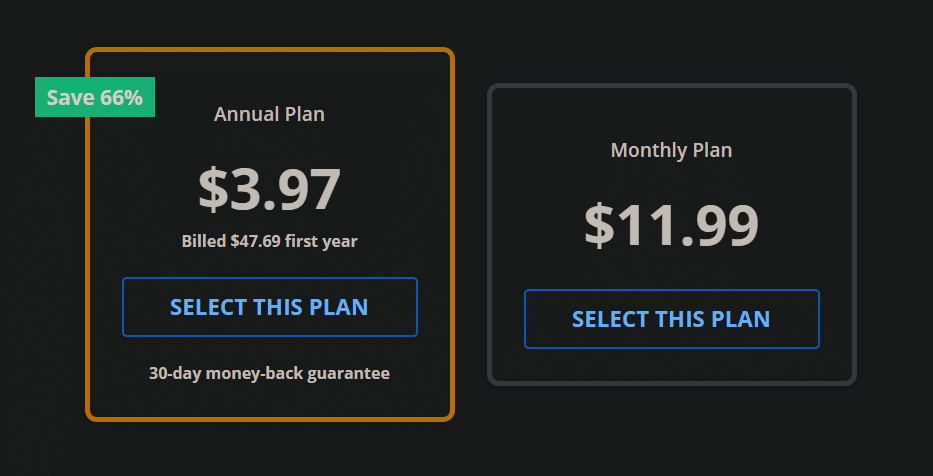
StrongVPN is a rapidly growing VPN provider with infrastructure across the United States and Europe. Compared to market leaders like ExpressVPN, StrongVPN offers significantly more affordable plans, starting at just USD $3.97 per month on its annual subscription (about USD $47.69 total). ExpressVPN, by contrast, costs nearly $6 per month on similar terms.
Despite its lower price, StrongVPN maintains a dedicated technical team that continuously upgrades its servers to ensure fast, stable performance. Whether you're browsing, streaming Netflix or YouTube, gaming, or accessing social media securely, StrongVPN is a highly reliable choice.
The company promotes itself as “the best VPN for streaming media”, offering full compatibility with Netflix, Hulu, HBO, Amazon Prime Video, Disney+, and more.
StrongVPN also supports a wide range of devices, including:
- Windows
- macOS
- iOS
- Android
- Amazon Fire TV
- Chrome and Firefox extensions
- Manual setup guides for routers, Fire TV, and Kodi
The service currently operates over 950 P2P-friendly servers across 35+ countries and 46 cities.
StrongVPN supports multiple secure VPN protocols:
OpenVPN, IKEv2, L2TP, SSTP, and the modern WireGuard protocol.
Users benefit from 24/7 customer support (live chat + email) and a no-question 30-day money-back guarantee.
StrongVPN Test Results —September 2026
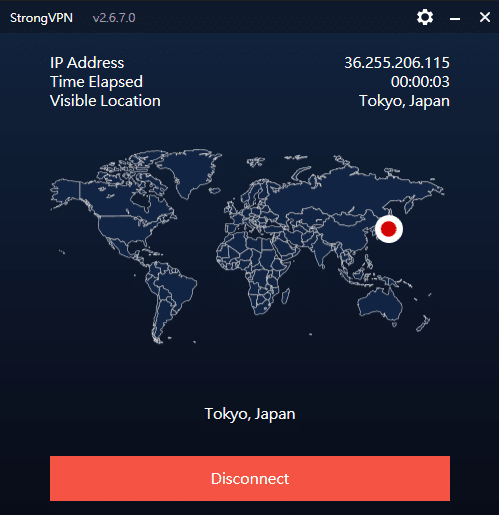
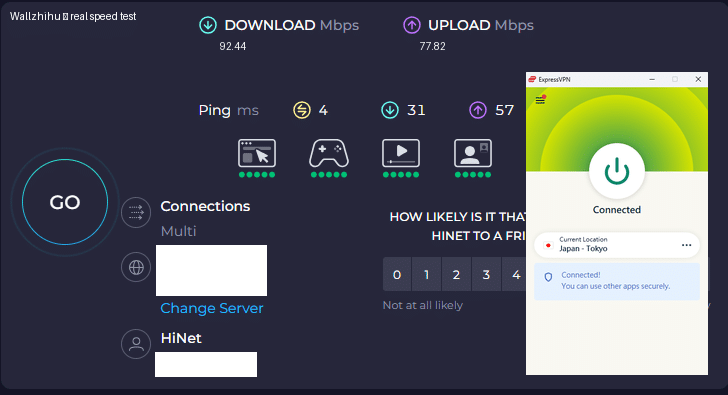
In addition to our own internal evaluations, we include real screenshots of speed test results—including tests on distant servers such as Japan—to provide transparent and verifiable data. This ensures our review avoids exaggerated or unfounded claims often found on other VPN comparison sites.
Key Features of StrongVPN:
- Wide platform support across computers, mobile devices, smart TVs, and routers
- Allows up to 12 simultaneous connections—ideal for families or multiple devices
- Unblocks major streaming platforms (Netflix, Amazon Prime Video, Disney+, Hulu, HBO)
- Includes 250 GB of SugarSync cloud storage with annual plans
- More than 950 P2P-friendly servers in 35+ countries
- Supports modern, secure protocols: WireGuard, OpenVPN, IKEv2, L2TP, SSTP
- 30-day money-back guarantee, no hassle
- 24/7 customer support via live chat and email
- Strict no-logs policy—your browsing data is never tracked or stored
- Highly competitive pricing, cheaper than ExpressVPN, Surfshark, and many EU/US providers
- Outperformed ExpressVPN in recent speed and server availability tests
- Strong connection stability, even over long distances
- Annual plan starts at USD $3.97/month (USD $47.69 for the first year)
Recommendation #2: ExpressVPN – Choose the annual ExpressVPN plan (confirm the current offer at checkout)
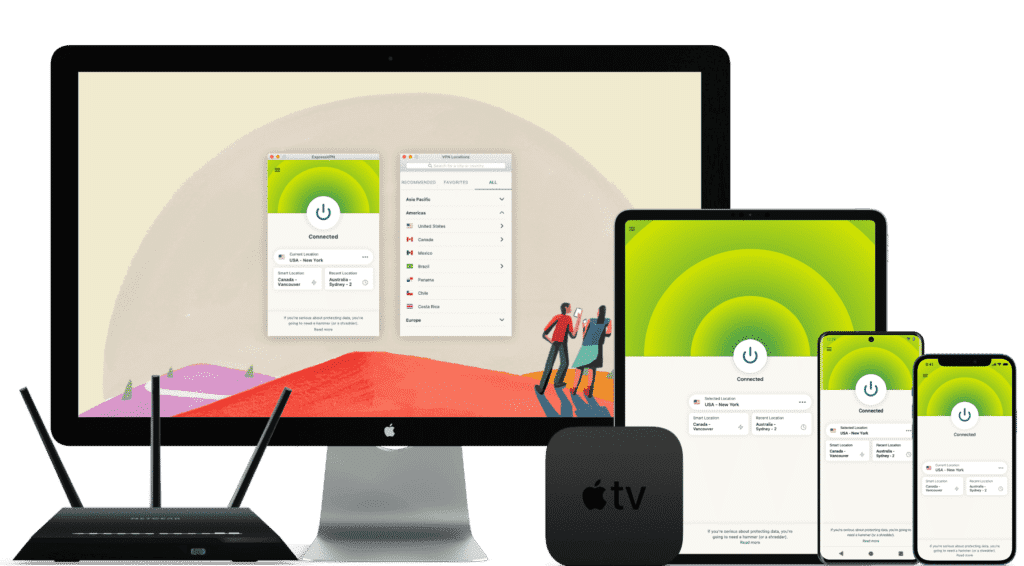
ExpressVPN is one of the world’s leading VPN services, known for its massive infrastructure, consistently high speeds, and rapid server updates. With over 3,000 servers in 94 countries and 160+ locations, it provides fast, secure, and highly reliable connections. It’s ideal for unblocking Netflix and other streaming platforms, and it fully supports torrenting with a strict no-logs policy.
Its interface is user-friendly, making it suitable for beginners and advanced users alike.
While ExpressVPN is more expensive than many competitors, the premium performance and global reliability justify the cost.
⚡Performance:
In speed tests conducted in September 2026, ExpressVPN ranked as one of the fastest and most stable VPNs available, offering consistently high performance across long-distance and local connections.
⭐ Key Features of ExpressVPN
- 3,000+ servers in 94 countries and 160+ global locations
- Massive worldwide user base and strong industry reputation
- Fast server recovery and updates when firewalls or blocks are detected
- 30-day money-back guarantee, no questions asked
- 24/7 customer support via live chat and email
- Apps for Windows, macOS, Android, iOS, Linux, and more
- Compatible with Apple TV, Fire TV, PlayStation, Chromebook, Kindle, etc.
- Supports various payment methods, including Bitcoin and other cryptocurrencies
- Enterprise-grade encryption for maximum security and privacy
- Constant optimization to bypass firewalls and maintain stable, unrestricted access
🔀 Detailed Explanation: VPN Split Tunneling (How It Works)
VPN split tunneling is a feature that lets you use your VPN connection and your regular local internet connection at the same time. This means you can control which traffic is protected through the VPN and which traffic goes directly through your local network.
With split tunneling, you can:
- Route sensitive apps (browser, streaming, downloads) through the VPN
- Keep local resources (printers, LAN devices, internal servers) outside the VPN for faster access
This provides greater flexibility, improved performance, and more efficient bandwidth usage.
⚙️ How Does It Work Technically?
Split tunneling is implemented by modifying your device’s routing tables, assigning specific traffic to the encrypted VPN tunnel and the rest to your local network.
This separation allows your device to maintain two simultaneous paths:
one encrypted (VPN) and one direct (local).
⚠️ Precautions
While split tunneling is useful, it also has security considerations:
- Traffic routed outside the VPN is not encrypted
- Sensitive data may be exposed if incorrectly configured
- Local network vulnerabilities can affect unprotected traffic
Therefore, it’s important to evaluate which apps truly need protection and ensure your VPN provider offers strong security protocols, leak protection, and robust privacy policies before enabling split tunneling.
Recommendation #3: Surfshark— Protect Unlimited Devices
Surfshark is one of the newer VPN providers on the market, but it has quickly become extremely popular thanks to its competitive pricing and one standout feature almost no other service offers: unlimited simultaneous connections.
This means you can protect every device you own — and even share your account with family members — without paying extra.
If you want to save money while still getting secure browsing, smooth streaming, and reliable performance, Surfshark is an excellent value.
⚡ Fast Speeds — Surfshark Review (Tested September 2026)
Below is a complete overview of Surfshark’s core features, based on our hands-on testing.

Key Features of Surfshark VPN
- 🔐Advanced Encryption: Uses AES-256 encryption and secure protocols such as OpenVPN, IKEv2/IPSec, and WireGuard to ensure top-tier data protection.
- 🌍 Large Server Network: Over 3,200 servers in 65 countries, ideal for faster connections and accessing global content.
- 🚀 Speed & Stability: Consistent high speeds for HD streaming, downloading, gaming, and everyday browsing.
- 🛡️ Strict No-Logs Policy: Does not store your browsing history, IP address, or online activity.
- 📱 Unlimited Device Connections: Protect as many devices as you want — no limits, no restrictions.
- 💻 Cross-Platform Compatibility: Apps for Windows, macOS, Linux, Android, iOS, plus browser extensions for Chrome and Firefox.
- 🧹 CleanWeb Feature: Blocks ads, trackers, malware, and phishing sites automatically.
- 👨💻 24/7 Customer Support: Live chat, email support, and a detailed knowledge base with guides and tutorials.
- 💰 30-Day Money-Back Guarantee: Try it risk-free for an entire month.
💵 Pricing & Plans
Surfshark’s best value is its 24-month plan, costing roughly $2.30 per month.
Payment methods include credit/debit cards, PayPal, cryptocurrencies, Amazon Pay, and Google Pay.
⭐ Final Verdict: Surfshark is a young but powerful VPN with excellent value for the price, advanced security features, and the rare advantage of unlimited device connections. It’s an ideal choice for anyone who wants strong privacy protection and unrestricted access to the internet across all their devices.
⭐ Recommendation #4: FlowVPN— Short trial option (confirm the current terms at checkout)
| Protocol / method | short trial (confirm terms at checkout) | 24/7 support | 5 devices | 30-Day Money-Back Guarantee |
|---|---|---|---|---|
| SSR | ✅ | ✅ | ✅ | ✅ |
FlowVPN has gained traction in recent years as a reliable and budget-friendly VPN solution, especially as many traditional VPN services struggle to keep up with evolving network blocks and filtering technologies. Based on our hands-on testing, FlowVPN delivers solid speed, stable performance, and dependable daily use.
FlowVPN allows up to five simultaneous device connections, supports a wide range of servers across multiple regions, and includes 24/7 customer support with multilingual assistance available. Its two-day free trial makes it easy to test the service without any commitment.
This provider has become popular among students and budget-conscious users thanks to its low-cost plans, ease of use, and functional performance, making it an excellent choice for everyday browsing, streaming, and privacy protection.
⭐ Key Features of FlowVPN
- short trial (confirm terms at checkout) with full access
- Unlimited server switching
- Supports up to 5 devices simultaneously
- 24/7 customer support, including Spanish-language assistance
- User-friendly interface, ideal for beginners
- Affordable plans, perfect for students and light users
- Stable speed and performance (tested September 2026)
- Money-back guarantee
- Wide compatibility with major platforms
Flexible pricing and practical plans make FlowVPN a budget-friendly option, especially for students, short-term travelers, and users who want to test a VPN before committing to a longer subscription.
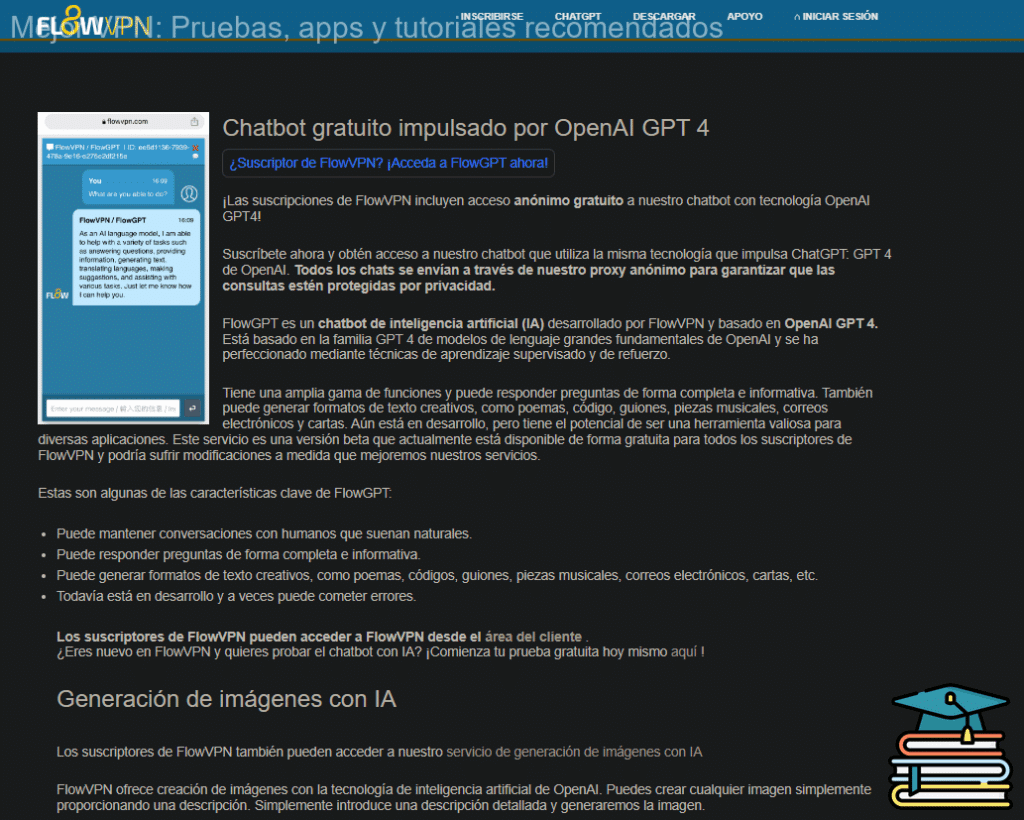
🎨 Bonus Feature: Built-In OpenAI Image Generation
FlowVPN offers a unique extra feature not found in most VPN services:
built-in access to AI image generation powered by OpenAI.
Simply enter a text description and generate original images instantly.
This is especially useful for:
- Content creators
- Students
- Designers
- Social media users
- Anyone experimenting with AI tools
💵 Pricing & Plans
FlowVPN offers flexible, low-cost plans designed to fit individual needs.
Its pricing is especially attractive for:
- Students
- Casual users
- Anyone looking for a budget-friendly VPN with reliable performance
FlowVPN remains one of the best low-cost options on the market.
📺 FlowVPN for Apple TV (tvOS 17 Support)
FlowVPN is the first VPN app specifically designed for Apple TV, taking full advantage of Apple’s new VPN support introduced in tvOS 17.
You can now enjoy secure, private streaming on Apple TV with access to servers in 60+ countries — perfect for watching international content or protecting your home network.
FlowVPN has released its first Apple TV version through Apple’s TestFlight beta program.
How to Install FlowVPN on Apple TV (TestFlight Beta)
- Open TestFlight on your Apple TV and install FlowVPN.
- If you don’t have a FlowVPN account yet, create one and start your free trial.
- Download TestFlight on your iPhone, iPad, or Mac.
- Join the FlowVPN Apple TV beta through the invitation link.
- Install TestFlight from the App Store on your Apple TV running tvOS 17 beta.
FlowVPN’s early support for Apple TV makes it one of the easiest and most flexible VPNs for streaming on large screens.
Protect Chrome with the StrongVPN App – Setup Guide
(Full-device VPN protection for Chrome and every other app; this is not a browser-only extension.)
StrongVPN is the first annual-value comparison for users who want the VPN app to protect Chrome and the rest of the device. Install the official Windows, macOS, Android, or iOS app and test the services you actually use before the refund deadline.
Step 1: Head to the Official StrongVPN Site:
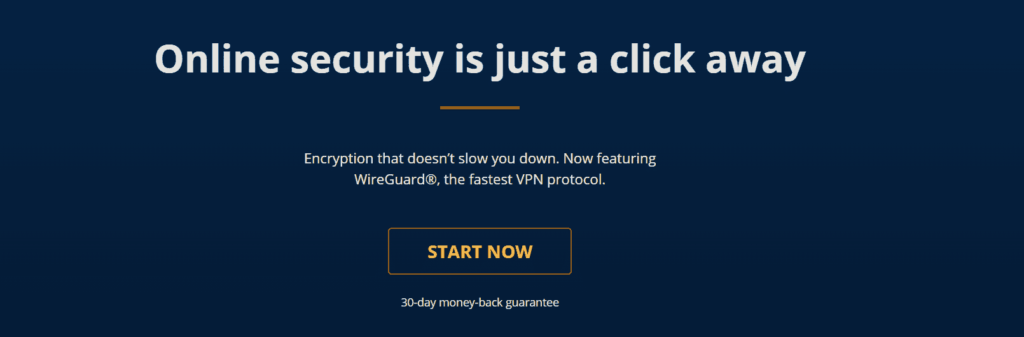
Go to StrongVPN‘s homepage → click the big “SAVE 65% on StrongVPN” button. Create the account with the email you want to use for billing and support. Review the current privacy policy before paying.
Step 2: Pick Your Plan (Super Cheap):
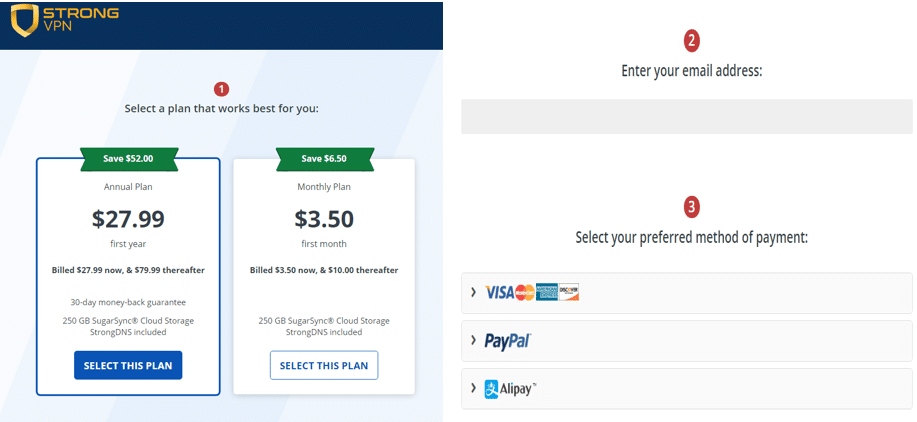
Choose the billing term that matches how long you will use it. Compare the total charged today, renewal date, supported payment methods, and refund rules shown in your regional checkout.
Step 3: Download & Install the StrongVPN App:
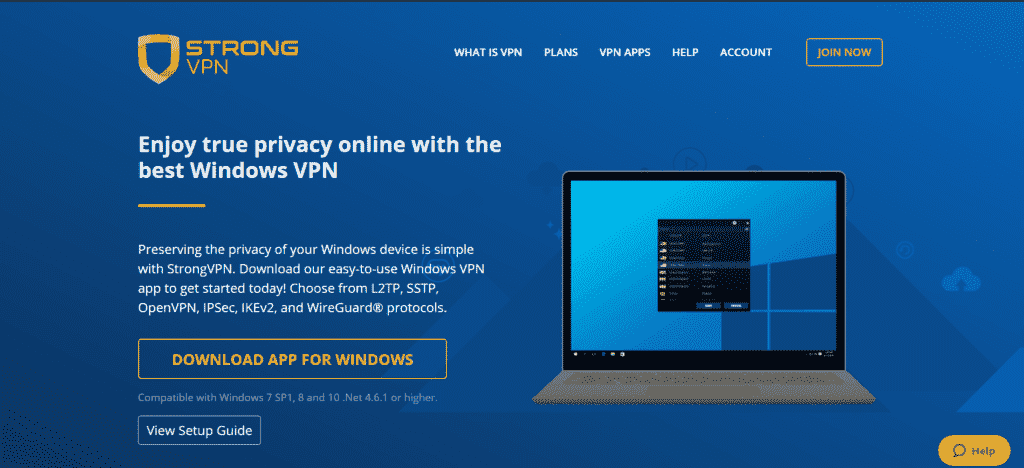
From the StrongVPN apps page, download the installer for your operating system. Install the signed app, sign in, and connect before opening Chrome. The VPN tunnel then covers Chrome and other device traffic.
Step 4: Log In & Connect:
- Open the StrongVPN app on your device.
- Enter your email/password (from Step 1).
- Hit the big red Connect button – it auto-picks the fastest server.
- Green shield = you’re protected.
Want a specific country?
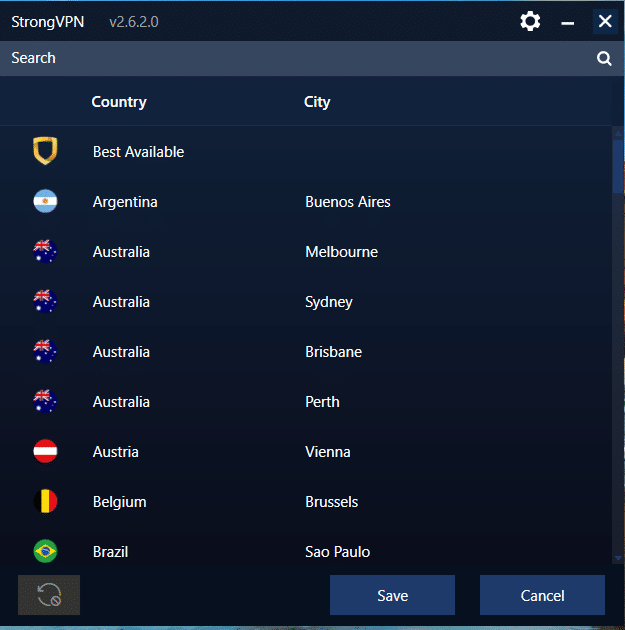
- Click “Best Available Location” dropdown → pick US West for Netflix, Japan for anime, etc.
- Hit Save → Connect.
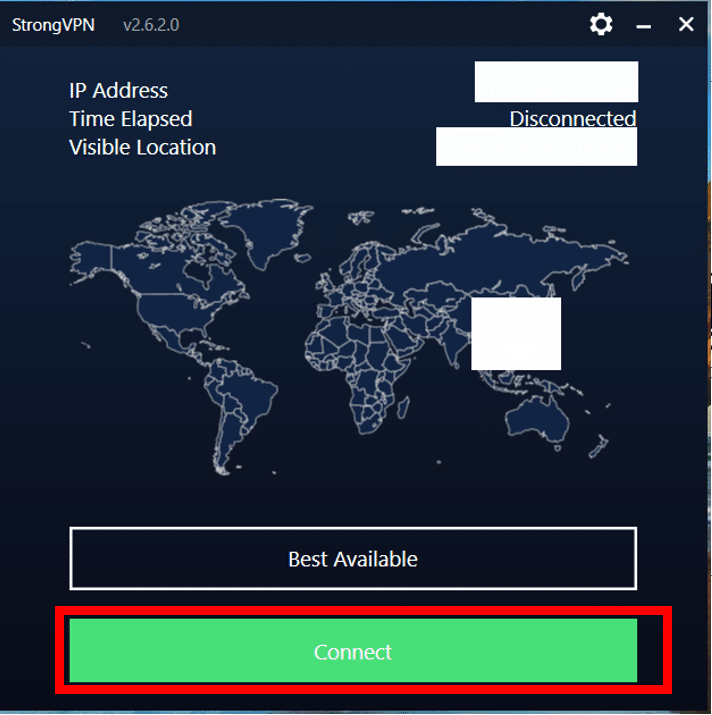
After connecting, verify the IP and DNS result yourself. Access and performance still depend on the service, server, network, and region.
Browser and app versions change, so repeat the connection and leak checks after major updates.
Before paying, confirm the current annual total, renewal terms, supported devices, and refund conditions in the checkout available to your region.
→ Compare the StrongVPN annual checkout total and renewal terms
Enjoy the speed! 🚀
ExpressVPN Chrome Extension Setup – Step-by-Step Guide (2026 Update)
(Choose Proxy Mode for browser-only traffic or Remote Control Mode with the desktop app for full-device protection.)
ExpressVPN Chrome extension is my go-to for quick, browser-only protection. It works on Windows, Mac, Linux, and Chromebooks – no separate download required. Here’s how to get it set up in under 5 minutes:
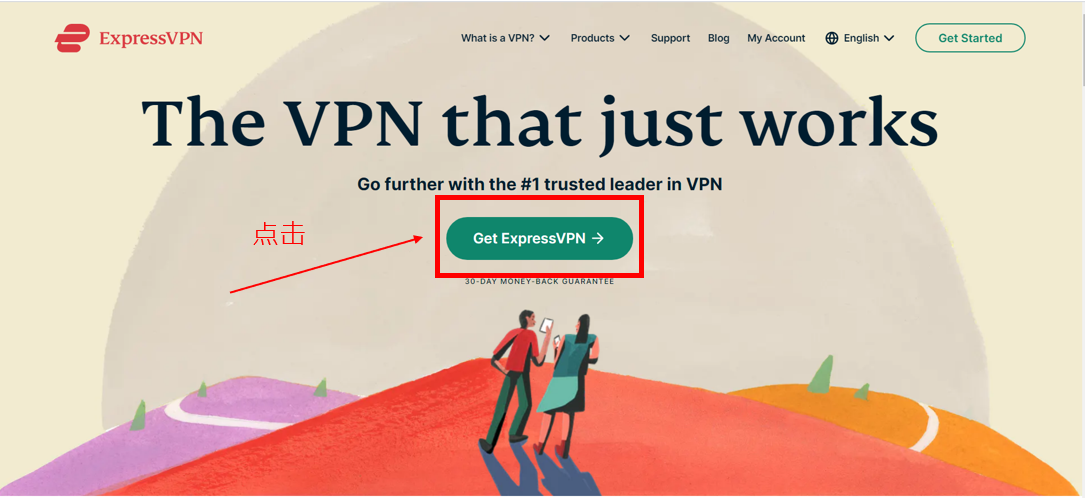
Step 1: Go to the Official ExpressVPN Site
Open the official ExpressVPN page and click “Get ExpressVPN.” Language, currency, and available plans may change by region.
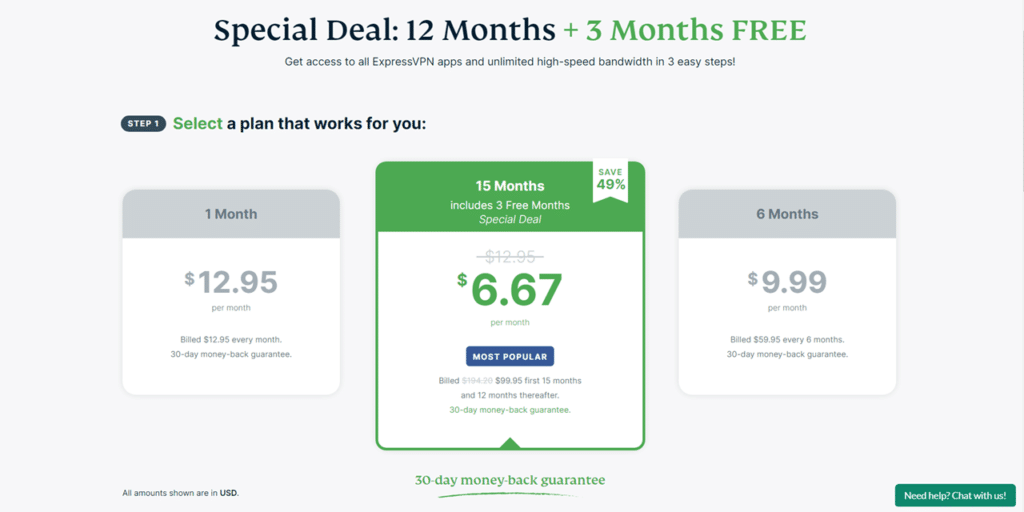
Step 2: Choose Your Plan
Compare the current ExpressVPN plans, including the total charged today, renewal price, device allowance, and refund terms. The best choice depends on your billing term and selected tier.
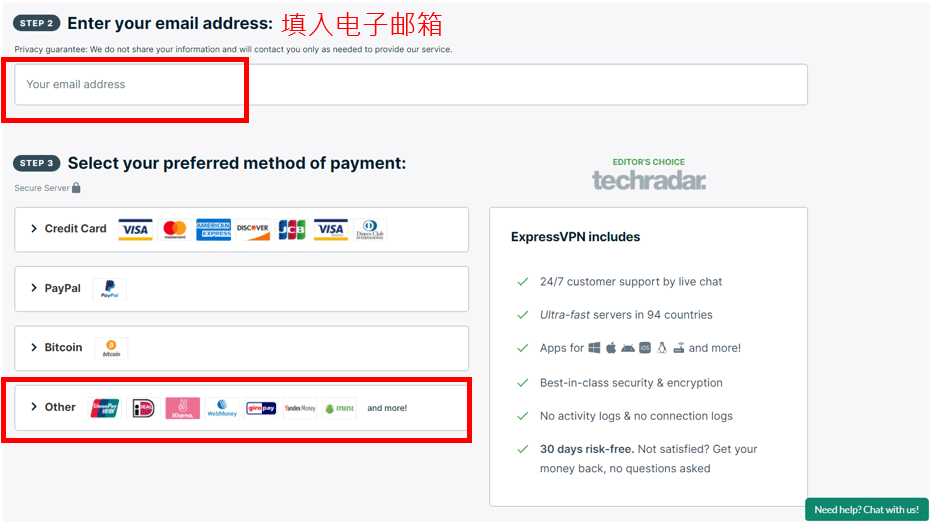
Step 3: Enter Email & Pay
Enter your email and select one of the payment methods displayed in your regional checkout. After payment, use the confirmation email and your own account page to activate the official app or extension.
Step 4: Download the Chrome Extension
From the ExpressVPN site → “Products” → “Chrome Extension” (or direct Chrome Web Store link). Click “Add to Chrome” → “Add Extension”. Choose Proxy Mode for browser-only traffic, or install the desktop app for Remote Control Mode and full-device protection.
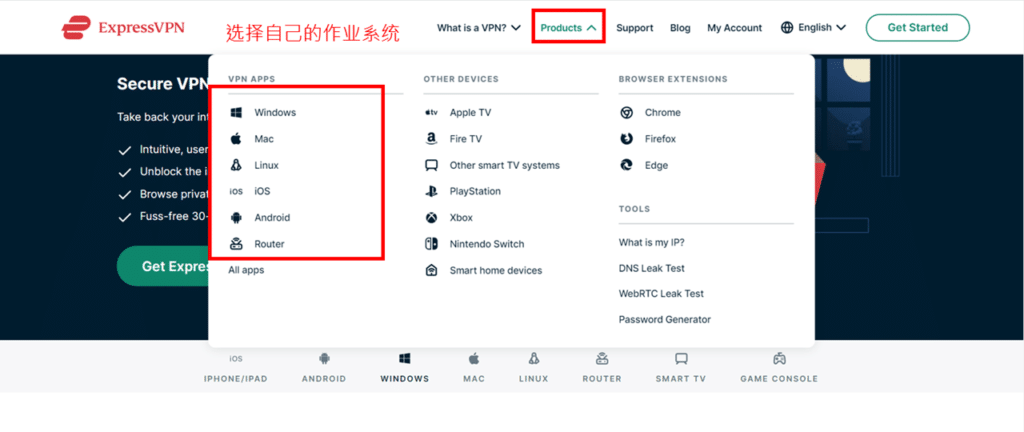
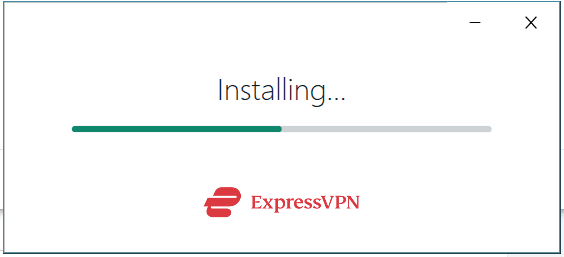
Step 5: Install & Connect
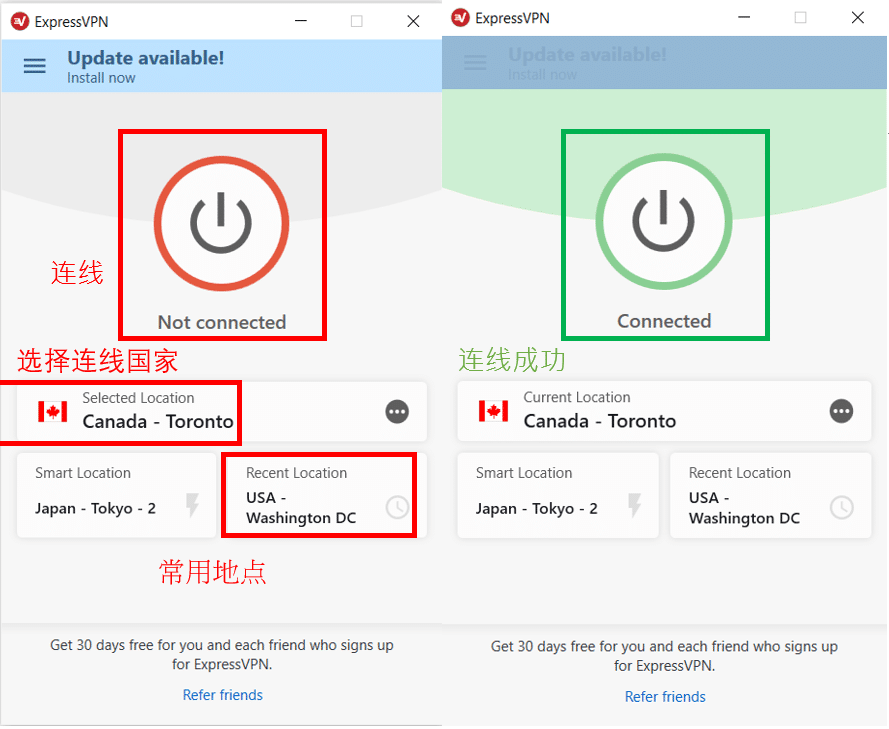
The extension opens automatically. Log in with your email/password. Hit the big Connect button – it auto-picks the fastest server. Green shield = you’re protected.
Quick Tips for Best Performance
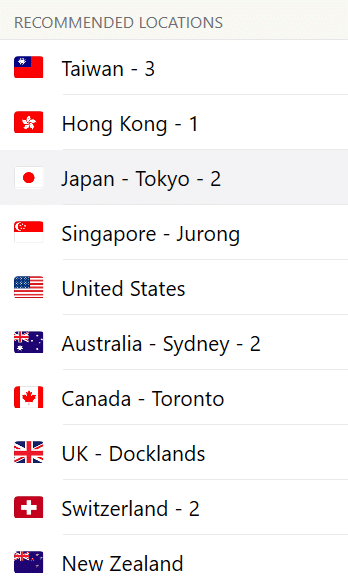
- For fastest speeds: pick Hong Kong – 1, Japan – Tokyo – 2, Taiwan – 3, or USA – Los Angeles
- Use the desktop app when you need a kill switch and full-device traffic protection.
- Use split tunneling for local sites (banking, etc.) to stay fast
After connecting, verify the active mode, IP address, and DNS result. Streaming availability can change, so test each service rather than assuming universal access.
Quick Tip: ExpressVPN's Optimized Servers for Asia (2026 Update)
ExpressVPN has dedicated low-latency servers for Asia-Pacific users. From my tests, connecting to Japan or Hong Kong gives the fastest speeds in the region.
Common fast servers:
- Hong Kong – 1
- Japan – Tokyo – 2
- Taiwan – 3
- USA – Los Angeles
- Singapore – Jurong
Pick one close to your location for the smoothest experience.
Surfshark Chrome Extension Setup – Step-by-Step Guide (2026 Update)
(The easiest way to protect your Chrome browsing – no full app needed)
Surfshark's Chrome extension is my go-to for quick, browser-only protection. It works on Windows, Mac, Linux, and Chromebooks – no separate download required. Here’s how to get it set up in under 5 minutes:
Step 1: Go to the Official Surfshark VPN Site: Head to Surfshark VPN‘s homepage and click “Get Started” or “Buy Now”.
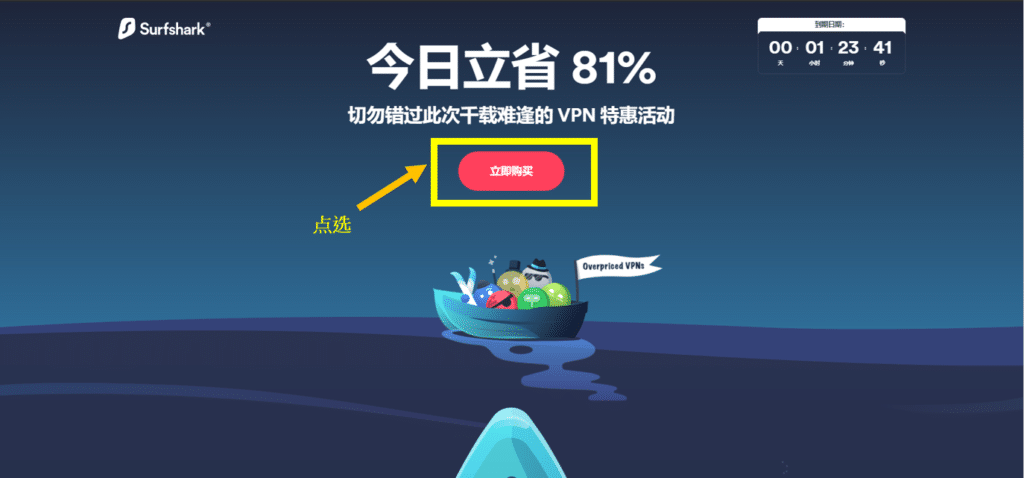
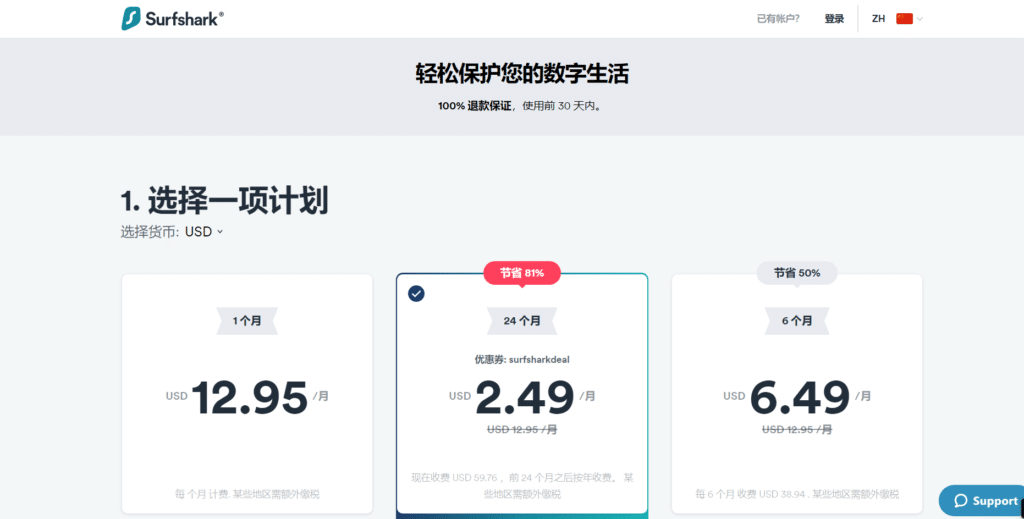
Step 2: Choose Your Plan: The long plan usually has the lowest monthly equivalent, but compare the total charged today, taxes, included months, and renewal price. Confirm the current 30-day money-back terms at checkout.
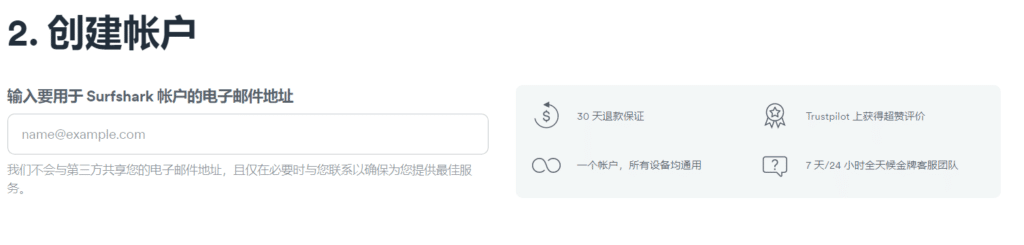
Step 3: Create an Account: Fill in your email – no worries about data leaks (they're audited no-logs).
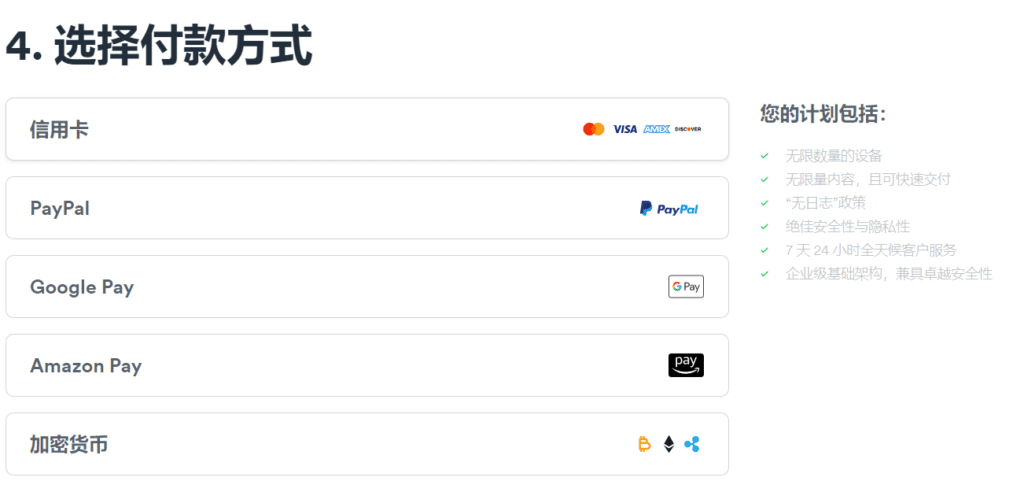
Step 4: Select Payment Method: Options include credit cards (Mastercard), PayPal, Google Pay, Amazon Pay, or crypto. After payment, you'll get your login – set your password right away.
Step 5: Download & Install the Chrome Extension: From the Surfshark homepage, download the version for your needs (macOS, Windows, Linux, iOS, Android). Open and install – choose the Chrome Surfshark version.
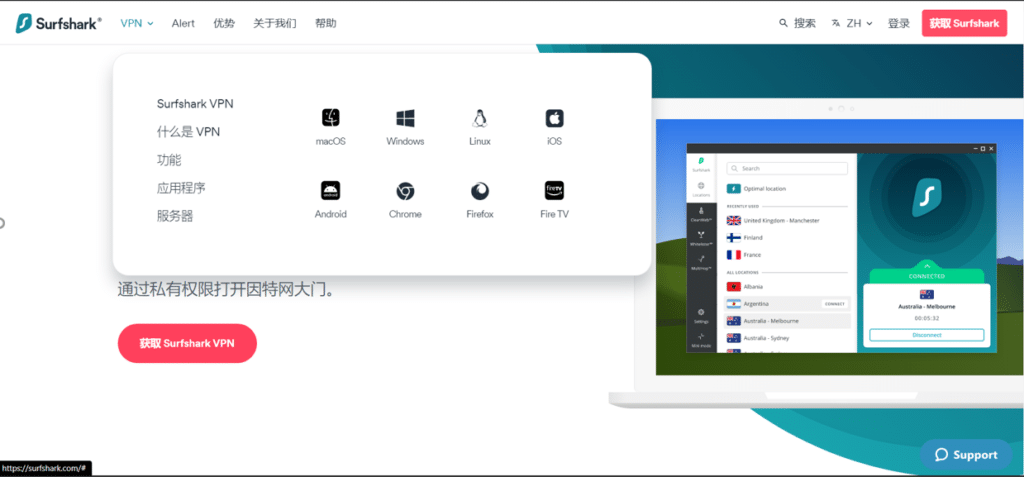
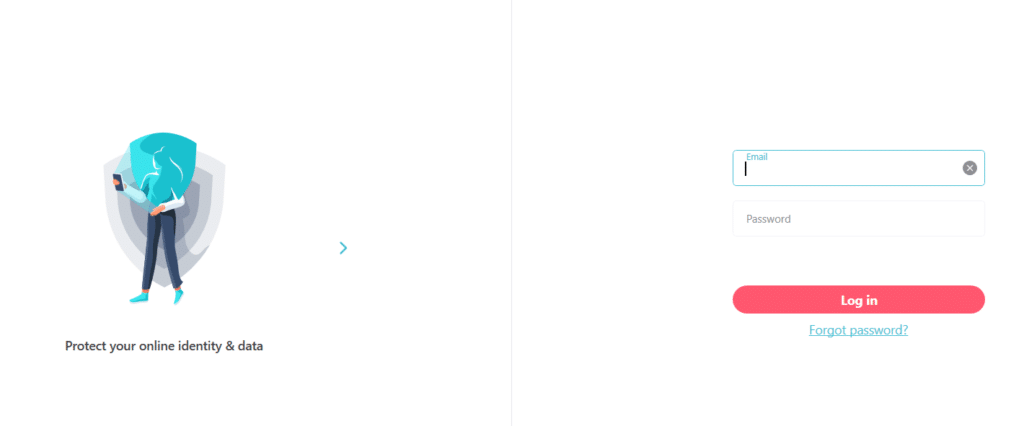
Step 6: Log In & Start Using: Once installed, enter your username and password – you're ready to connect to Surfshark.
FlowVPN App and Browser Support – Verify Before Installing
FlowVPN is the trial-first alternative in this comparison. Browser support and installation methods can change, so confirm the current Chrome or platform option on the official download page before creating an account.
Step 1: Go to the Official FlowVPN Site: Head to Flow VPN‘s homepage and create an account with your email – no worries about data leaks (they're audited no-logs).
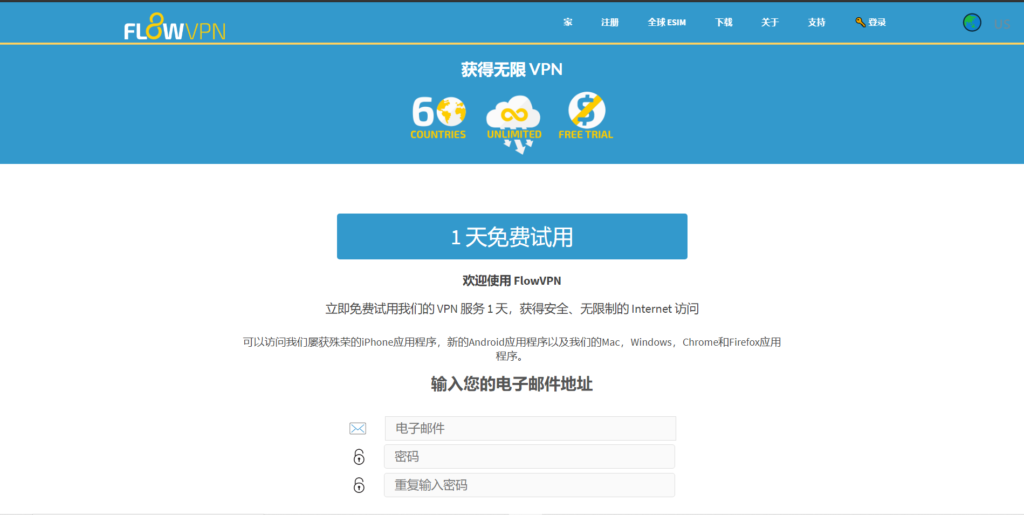
Step 2: Download the version currently listed for your operating system or browser on the official page. Do not sideload an old archive or an extension from an unverified publisher.
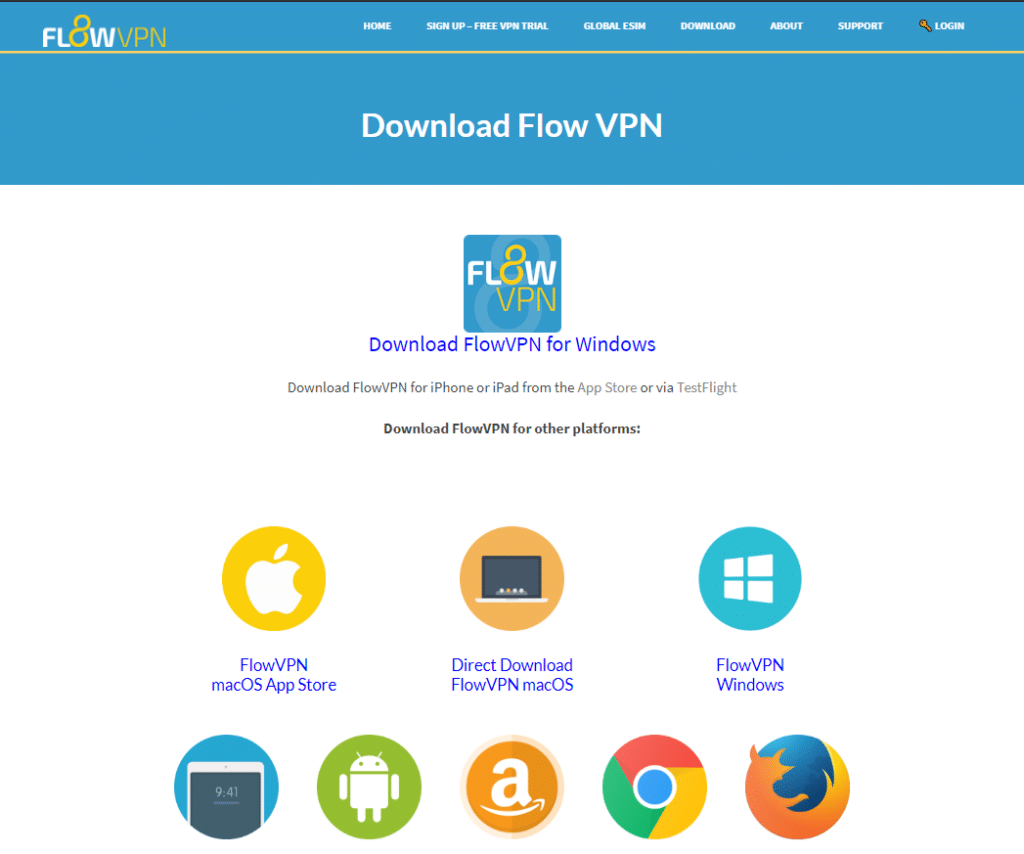
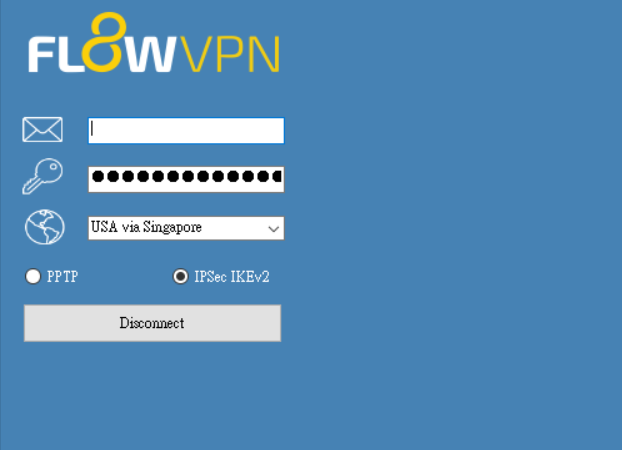
Step 3: Log In & Start Using: Once installed, enter your username and password – you're ready to connect to FlowVPN. The icon shows connection to the US via Singapore node, with tons of different servers to choose from.
The Real Risks of Free VPNs in 2026 – Why I Never Touch Them
(Even for Chrome browsing – tested on my own machines)
Let’s be honest: in 2026, “100% free unlimited” VPNs are basically a myth. The few that still exist are either painfully limited or straight-up dangerous.
Here’s what I’ve seen after testing dozens of free Chrome extensions and apps:
1. Ads Everywhere Free = someone’s paying for the servers. That someone is advertisers. Expect pop-ups, injected ads on websites, and a browsing experience that feels like 2010 again.
2. Zero Real Security No money = no engineers = weak encryption, no kill switch, frequent IP/DNS leaks. Your email, passwords, banking logins – all potentially exposed. If something goes wrong, there’s no support, no refunds, no legal recourse.
3. Hidden Malware or Crypto Miners Free services still need a business model, which may involve strict limits, advertising, or data collection. Cracked premium VPNs are especially risky because their code, publisher, and update path cannot be trusted.
4. They Die Fast Free providers can’t keep up with blocks or updates. One month it works, next month it’s gone – taking your data with it.
Bottom line: Free VPNs aren’t free. You pay with your privacy, speed, and sometimes your security.
Legal Notes on VPN Use – 2026 Straight Talk

(What normal people need to know – no drama)
VPN rules vary by country, and the activity performed through a VPN remains subject to local law and each platform's terms. In many places, common privacy and remote-work uses are permitted, but check the rules that apply where you are:
- Streaming Netflix from another country
- Secure video calls on hotel Wi-Fi
- Torrenting or gaming on foreign servers
- Keeping your browsing private from your ISP
VPN rules vary by country and activity. Check local law and the terms of any service you access; a VPN does not make illegal activity legal.
The only time anyone ever runs into issues is:
- Running a commercial VPN business in a country that requires government approval
- Using a VPN for clearly illegal activity (fraud, piracy rings, etc.) – which would be illegal with or without a VPN
So for the average person reading this – streaming, privacy, remote work, gaming – you’re completely fine, no worries.
Two VPNs I Tell Everyone to Avoid Like the Plague in 2026
1. PandaVPN
We do not recommend PandaVPN here because we have not verified its current privacy, leak protection, and recovery behavior to the same standard as the services compared above. Check current independent evidence rather than relying on an old result.
Lantern (any version)
Lantern uses a different access model from a conventional full-device VPN. We do not rank it with the four services above because the comparison would not be equivalent; verify the current publisher, traffic coverage, privacy policy, and local rules before installing it.
For the full “avoid” list, check my VPN Blacklist Guide.
Chrome VPN Extensions – Final Thoughts (2026 Wrap-Up)
By now you’ve seen the screenshots, speed numbers, and step-by-step installs. You know what Chrome VPN extensions actually do and how to pick one that doesn’t suck.
The short version: StrongVPN is the first full-device value comparison, ExpressVPN has the most flexible verified browser modes, Surfshark suits many devices, and FlowVPN is a trial-first alternative. Confirm current browser support before paying.
Trial and refund terms differ by provider, platform, and purchase channel. Confirm the total, renewal date, device coverage, and refund rules at checkout.
Choose the option that matches the required traffic scope, then test speed, DNS, streaming, sleep recovery, and cancellation before the applicable refund or trial deadline.
Questions or experiences? Drop them in the comments – I answer every single one.
Current deals live: →
Happy (and fast) browsing! 🚀