

Last Updated on 2026年9月17日 by wallzhihu
China VPN field guide
Best VPN for China that still works: connection, price, trial, and backup plan
A VPN page for China should answer one practical question first: can I get online when the route is unstable? This guide is written for travelers, remote workers, students, and anyone who needs a reliable path before arriving in mainland China.
| Situation | Best starting point | Why |
|---|---|---|
| Arriving in China soon | Install and test before departure | Official websites and app stores can be harder to reach after arrival. |
| Need one reliable daily VPN | StrongVPN | One-year pricing is easier to justify than longer bundles. |
| Not sure your network will connect | FlowVPN | Use the trial to test route, payment, and device setup. |
| Streaming, hotel Wi-Fi, World Cup travel | ExpressVPN | Premium app polish and route switching matter when timing is tight. |
| Family or many devices | Surfshark | The long-plan value makes more sense when several devices share the account. |
Does a VPN still work in China?
No VPN can honestly promise perfect access every hour in every city. The more useful question is whether the provider keeps updating routes, gives you enough protocol options, and has a backup path when one server slows down. That is why this page ranks providers by connection recovery, purchase risk, and plan length instead of only by headline speed.
Price intent: do not compare plans without the billing term
For one year, StrongVPN is the simplest value anchor. Surfshark often looks cheaper only when the plan is much longer. FlowVPN is not only about price; the trial is the point. ExpressVPN costs more, but that premium can make sense for travelers, sports streaming, and users who care about app quality.
Before you leave: China VPN checklist
- Install the VPN app before travel.
- Keep at least one backup route.
- Save official download and support pages.
- Test login, payment, and streaming before you need them.
- Avoid cracked apps, shared accounts, and unknown installers.
Current speed, price, and provider blocks
VPN buying notes – updated October 1, 2026
This month, compare VPNs by the jobs people actually buy them for: streaming, travel Wi-Fi, privacy, account security, speed, device limits, and price clarity.
Practical reading: StrongVPN is usually the clearest one-year value; ExpressVPN is the premium app and recovery option; Surfshark fits a longer plan and many devices; FlowVPN is the short-trial option for checking your own connection.
October 1, 2026 connection notes
- If a node slows down, switch protocol, city, or backup entry before judging the entire VPN unusable.
- Use official download and payment paths whenever possible; avoid unknown installers and shared accounts.
- Keep one primary VPN and one backup option if you rely on AI tools, search, streaming, or international payments.
Price decision: match the VPN to the plan length
If you only want a one-year plan, StrongVPN is usually the clearest value: about USD $3.97/mo, billed about USD $47.69 for the first year. ExpressVPN is the premium app and recovery choice; Surfshark fits a two-year commitment and many devices; FlowVPN offers a short trial for connection checks, subject to the checkout terms.
- StrongVPN: best one-year value, about USD $3.97/mo; first-year total about USD $47.69.
- ExpressVPN: about USD $6.67/mo; premium price, strongest brand and streaming/travel fit.
- Surfshark: about USD $2.30/mo, but the value usually depends on a two-year plan.
- FlowVPN: about USD $1.88/mo; use the short trial to test your connection and confirm the terms at checkout.
Final checkout price can change with tax, exchange rate, billing term, and current promotion.
VPN price vs subscription months
Use this chart with the price note above: one-year value points to StrongVPN, premium apps and recovery to ExpressVPN, long-term multi-device value to Surfshark, and trial-first testing to FlowVPN.
- One-year plan: StrongVPN is the clearest value path.
- Two-year plan: Surfshark usually becomes attractive only when you commit longer.
- Premium path: ExpressVPN costs more, but is strongest for brand, travel, and streaming polish.
- Test first: FlowVPN offers a short trial; confirm the current terms at checkout.
What to check before buying a VPN this month
Do not compare VPNs only by the headline discount. The better order is: can it handle your main use case, is the speed consistent, does the plan length make sense, and is the refund or trial path clear.
For most readers, that means checking price, speed, streaming fit, travel Wi-Fi protection, number of devices, and whether there is a simple backup option.
- Speed snapshot shown below
- USD plus local-currency price note
- One-year vs two-year plan logic
- Trial, refund, and device-limit check
Choose by the total charged today, contract length, device fit, and how easily the connection recovers when a server fails.
StrongVPN: our first value pick for a straightforward annual plan 
ExpressVPN: the premium choice for polished apps and recovery 
Surfshark: strongest value when a long plan and many devices fit 
FlowVPN: a short trial path for checking your own connection

VPN speed snapshot – updated October 1, 2026
Monthly VPN comparison
| VPN | Trial/refund | Payment | Devices | Best for |
|---|---|---|---|---|
| StrongVPN | 30-day refund | Card / PayPal | 5 | StrongVPN: our first value pick for a straightforward annual plan |
| ExpressVPN | 30-day refund | Card / PayPal | 8 | ExpressVPN: the premium choice for polished apps and recovery |
| Surfshark | 30-day refund | Card / PayPal | Unlimited | Surfshark: strongest value when a long plan and many devices fit |
| FlowVPN | Short trial | Card (confirm at checkout) | Unlimited | FlowVPN: a short trial path for checking your own connection |
Results vary by location and route. If a line slows down, change protocol or node before switching services.
| VPN Service | Free Trial / Money-Back | Streaming & Gaming | Device Support | Refund Policy | Approx. Price |
|---|---|---|---|---|---|
| StrongVPN | 1-day free trial | Great for U.S. streaming & gaming | 5 simultaneous devices | 30-day guarantee | $4.50/mo |
| ExpressVPN | 30-day money-back | The most consistent for Netflix, Hulu, BBC iPlayer | 5 devices | 30-day guarantee | $6.67/mo |
| Surfshark | 30-day money-back | Best price-to-performance ratio | Unlimited devices | 30-day guarantee | $2.30/mo |
| FlowVPN | Short trial (confirm terms at checkout) | Good long-distance speeds | Unlimited devices | 30-day guarantee | $1.88/mo |
VPN Speed and Reliability Test – October 2026
We compare measured regional performance, connection recovery, streaming reliability, and the setup friction readers encounter on real devices.
1. VPN price and subscription comparison
2. Global route speed comparison
Global speed table
| Region | StrongVPN | ExpressVPN | Surfshark | FlowVPN | NordVPN |
|---|---|---|---|---|---|
| North America | 70.1 | 66.4 | 62.1 | 62.7 | 62.9 |
| Europe | 76.8 | 81.9 | 76.4 | 73.4 | 74.9 |
| Oceania | 63.4 | 57.8 | 57.5 | 53.6 | 57.2 |
| Asia | 77.1 | 77.2 | 73.9 | 73.2 | 74.3 |
| Central Asia | 51.8 | 48.5 | 47.7 | 47.9 | 51.4 |
| South America | 55.1 | 55.1 | 52.9 | 52.4 | 52.0 |
| Africa | 46.7 | 50.3 | 48.0 | 45.9 | 46.5 |
| Mbps | Mbps | Mbps | Mbps | Mbps | Mbps |
3. Asia route speed comparison
Asia speed table
| Region | StrongVPN | ExpressVPN | Surfshark | FlowVPN |
|---|---|---|---|---|
| Japan | 57.6 | 62.8 | 56.0 | 54.7 |
| Singapore | 54.0 | 52.6 | 49.6 | 48.2 |
| Taiwan | 62.7 | 56.1 | 50.8 | 55.8 |
| South Korea | 47.3 | 49.9 | 45.0 | 46.1 |
| Mbps | Mbps | Mbps | Mbps | Mbps |
4. Connection success rate by region
Connection success rate
| Region | StrongVPN | ExpressVPN | Surfshark | FlowVPN | NordVPN |
|---|---|---|---|---|---|
| North America | 94.6 | 97.5 | 92.9 | 96.2 | 97.2 |
| Europe | 95.9 | 93.6 | 100 | 90.1 | 99.9 |
| Oceania | 97.3 | 92.9 | 92.4 | 95.3 | 89.1 |
| Asia | 97.4 | 93.7 | 95.0 | 96.4 | 89.6 |
| Central Asia | 94.8 | 95.9 | 96.6 | 89.2 | 96.3 |
| South America | 95.5 | 97.4 | 92.4 | 89.7 | 94.8 |
| Africa | 92.7 | 97.4 | 97.3 | 94.8 | 96.0 |
| % | % | % | % | % | % |
5. Streaming / Netflix route test
Streaming test rounds
| Region | StrongVPN | ExpressVPN | Surfshark | FlowVPN |
|---|---|---|---|---|
| Round 1 | 57.5 | 73.1 | 71.9 | 72.8 |
| Round 2 | 70.6 | 70.7 | 76.2 | 59.9 |
| Round 3 | 79.2 | 64.6 | 70.3 | 74.3 |
| Round 4 | 68.7 | 68.6 | 67.4 | 65.6 |
| Round 5 | 60.2 | 81.2 | 64.9 | 73.5 |
| % | % | % | % | % |
| VPN | Trial/refund | Payment | Devices | Best for |
|---|---|---|---|---|
| StrongVPN | 30-day refund | Card / PayPal | 5 | StrongVPN: our first value pick for a straightforward annual plan |
| ExpressVPN | 30-day refund | Card / PayPal | 8 | ExpressVPN: the premium choice for polished apps and recovery |
| Surfshark | 30-day refund | Card / PayPal | Unlimited | Surfshark: strongest value when a long plan and many devices fit |
| FlowVPN | Short trial | Card (confirm at checkout) | Unlimited | FlowVPN: a short trial path for checking your own connection |
Results vary by location and route. If a line slows down, change protocol or node before switching services.
Detailed Recommendations for the Best VPNs
2026 VPN Recommendation – StrongVPN

| Free Trial | 24/7 Support | 5 devices | 30-Day Money-Back Guarantee |
|---|---|---|---|
| ✅ | ✅ | ✅ | ✅ |
Competitive pricing, excellent performance, and reliable security
StrongVPN is a rapidly growing VPN provider with infrastructure across the United States and Europe. Compared to market leaders like ExpressVPN, StrongVPN offers significantly more affordable plans, starting at just USD $3.97 per month on its annual subscription (about USD $47.69 total). ExpressVPN, by contrast, costs nearly $6 per month on similar terms.
Despite its lower price, StrongVPN maintains a dedicated technical team that continuously upgrades its servers to ensure fast, stable performance. Whether you're browsing, streaming Netflix or YouTube, gaming, or accessing social media securely, StrongVPN is a highly reliable choice.
The company promotes itself as “the best VPN for streaming media”, offering full compatibility with Netflix, Hulu, HBO, Amazon Prime Video, Disney+, and more.
StrongVPN also supports a wide range of devices, including:
- Windows
- macOS
- iOS
- Android
- Amazon Fire TV
- Chrome and Firefox extensions
- Manual setup guides for routers, Fire TV, and Kodi
The service currently operates over 950 P2P-friendly servers across 35+ countries and 46 cities.
StrongVPN supports multiple secure VPN protocols:
OpenVPN, IKEv2, L2TP, SSTP, and the modern WireGuard protocol.
Users benefit from 24/7 customer support (live chat + email) and a no-question 30-day money-back guarantee.
StrongVPN Test Results —September 2026
In addition to our own internal evaluations, we include real screenshots of speed test results—including tests on distant servers such as Japan—to provide transparent and verifiable data. This ensures our review avoids exaggerated or unfounded claims often found on other VPN comparison sites.
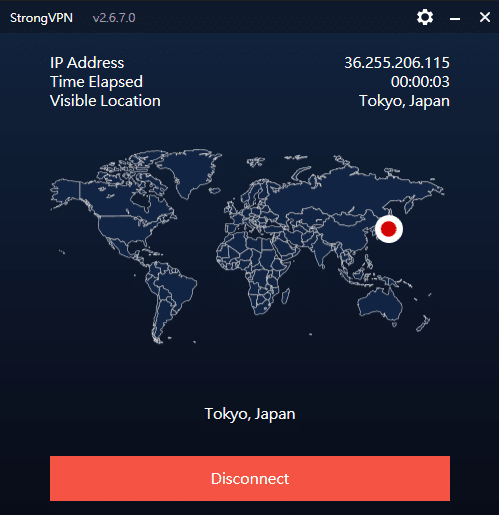
Key Features of StrongVPN:
- Wide platform support across computers, mobile devices, smart TVs, and routers
- Allows up to 12 simultaneous connections—ideal for families or multiple devices
- Unblocks major streaming platforms (Netflix, Amazon Prime Video, Disney+, Hulu, HBO)
- Includes 250 GB of SugarSync cloud storage with annual plans
- More than 950 P2P-friendly servers in 35+ countries
- Supports modern, secure protocols: WireGuard, OpenVPN, IKEv2, L2TP, SSTP
- 30-day money-back guarantee, no hassle
- 24/7 customer support via live chat and email
- Strict no-logs policy—your browsing data is never tracked or stored
- Highly competitive pricing, cheaper than ExpressVPN, Surfshark, and many EU/US providers
- Outperformed ExpressVPN in recent speed and server availability tests
- Strong connection stability, even over long distances
- Annual plan starts at USD $3.97/month (USD $47.69 for the first year)
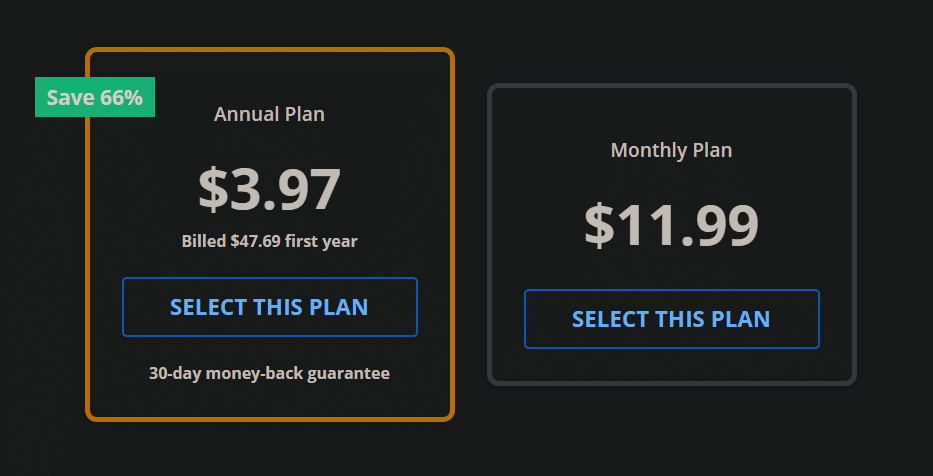
Recommendation #2: ExpressVPN – Choose the annual ExpressVPN plan (confirm the current offer at checkout)
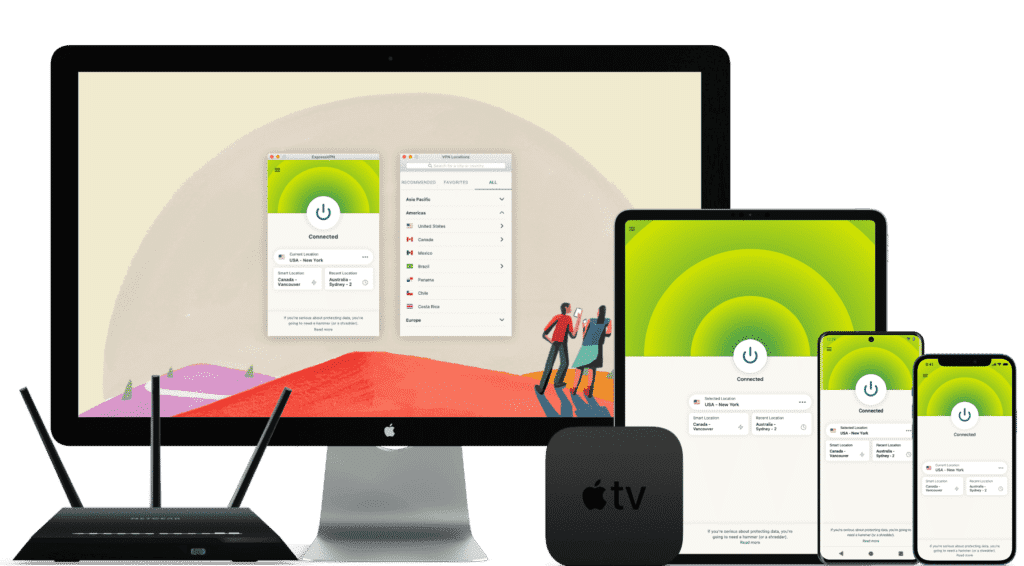
ExpressVPN is one of the world’s leading VPN services, known for its massive infrastructure, consistently high speeds, and rapid server updates. With over 3,000 servers in 94 countries and 160+ locations, it provides fast, secure, and highly reliable connections. It’s ideal for unblocking Netflix and other streaming platforms, and it fully supports torrenting with a strict no-logs policy.
Its interface is user-friendly, making it suitable for beginners and advanced users alike.
While ExpressVPN is more expensive than many competitors, the premium performance and global reliability justify the cost.
⚡Performance:
In speed tests conducted in September 2026, ExpressVPN ranked as one of the fastest and most stable VPNs available, offering consistently high performance across long-distance and local connections.
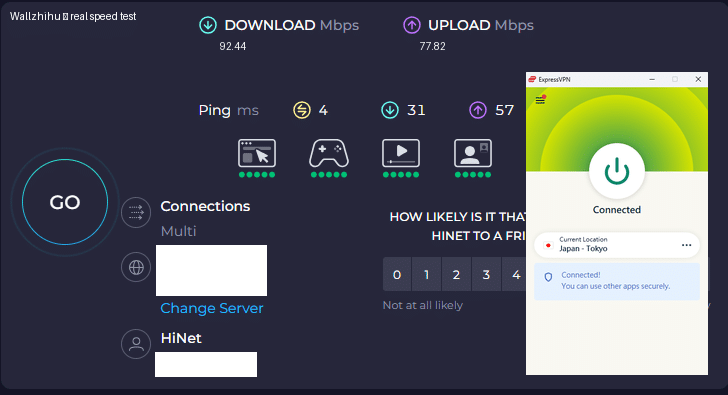
⭐ Key Features of ExpressVPN
- 3,000+ servers in 94 countries and 160+ global locations
- Massive worldwide user base and strong industry reputation
- Fast server recovery and updates when firewalls or blocks are detected
- 30-day money-back guarantee, no questions asked
- 24/7 customer support via live chat and email
- Apps for Windows, macOS, Android, iOS, Linux, and more
- Compatible with Apple TV, Fire TV, PlayStation, Chromebook, Kindle, etc.
- Supports various payment methods, including Bitcoin and other cryptocurrencies
- Enterprise-grade encryption for maximum security and privacy
- Constant optimization to bypass firewalls and maintain stable, unrestricted access
🔀 Detailed Explanation: VPN Split Tunneling (How It Works)
VPN split tunneling is a feature that lets you use your VPN connection and your regular local internet connection at the same time. This means you can control which traffic is protected through the VPN and which traffic goes directly through your local network.
With split tunneling, you can:
- Route sensitive apps (browser, streaming, downloads) through the VPN
- Keep local resources (printers, LAN devices, internal servers) outside the VPN for faster access
This provides greater flexibility, improved performance, and more efficient bandwidth usage.
⚙️ How Does It Work Technically?
Split tunneling is implemented by modifying your device’s routing tables, assigning specific traffic to the encrypted VPN tunnel and the rest to your local network.
This separation allows your device to maintain two simultaneous paths:
one encrypted (VPN) and one direct (local).
⚠️ Precautions
While split tunneling is useful, it also has security considerations:
- Traffic routed outside the VPN is not encrypted
- Sensitive data may be exposed if incorrectly configured
- Local network vulnerabilities can affect unprotected traffic
Therefore, it’s important to evaluate which apps truly need protection and ensure your VPN provider offers strong security protocols, leak protection, and robust privacy policies before enabling split tunneling.
Recommendation #3: Surfshark— Protect Unlimited Devices
Surfshark is one of the newer VPN providers on the market, but it has quickly become extremely popular thanks to its competitive pricing and one standout feature almost no other service offers: unlimited simultaneous connections.
This means you can protect every device you own — and even share your account with family members — without paying extra.
If you want to save money while still getting secure browsing, smooth streaming, and reliable performance, Surfshark is an excellent value.
⚡ Fast Speeds — Surfshark Review (Tested September 2026)
Below is a complete overview of Surfshark’s core features, based on our hands-on testing.

Key Features of Surfshark VPN
- 🔐Advanced Encryption: Uses AES-256 encryption and secure protocols such as OpenVPN, IKEv2/IPSec, and WireGuard to ensure top-tier data protection.
- 🌍 Large Server Network: Over 3,200 servers in 65 countries, ideal for faster connections and accessing global content.
- 🚀 Speed & Stability: Consistent high speeds for HD streaming, downloading, gaming, and everyday browsing.
- 🛡️ Strict No-Logs Policy: Does not store your browsing history, IP address, or online activity.
- 📱 Unlimited Device Connections: Protect as many devices as you want — no limits, no restrictions.
- 💻 Cross-Platform Compatibility: Apps for Windows, macOS, Linux, Android, iOS, plus browser extensions for Chrome and Firefox.
- 🧹 CleanWeb Feature: Blocks ads, trackers, malware, and phishing sites automatically.
- 👨💻 24/7 Customer Support: Live chat, email support, and a detailed knowledge base with guides and tutorials.
- 💰 30-Day Money-Back Guarantee: Try it risk-free for an entire month.
💵 Pricing & Plans
Surfshark’s best value is its 24-month plan, costing roughly $2.30 per month.
Payment methods include credit/debit cards, PayPal, cryptocurrencies, Amazon Pay, and Google Pay.
⭐ Final Verdict: Surfshark is a young but powerful VPN with excellent value for the price, advanced security features, and the rare advantage of unlimited device connections. It’s an ideal choice for anyone who wants strong privacy protection and unrestricted access to the internet across all their devices.
⭐ Recommendation #4: FlowVPN— Short trial option (confirm the current terms at checkout)
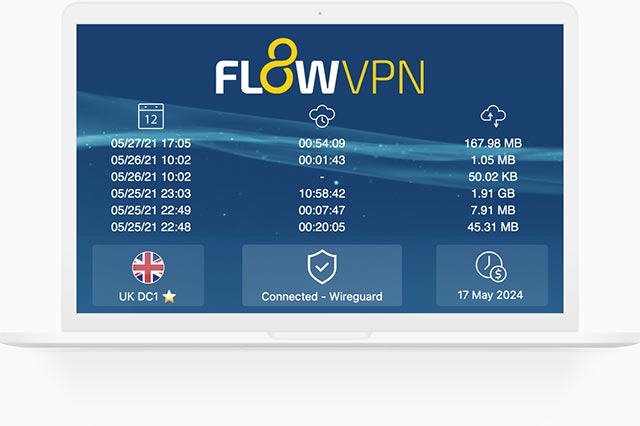
| Protocol / method | short trial (confirm terms at checkout) | 24/7 support | 5 devices | 30-Day Money-Back Guarantee |
|---|---|---|---|---|
| SSR | ✅ | ✅ | ✅ | ✅ |
FlowVPN has gained traction in recent years as a reliable and budget-friendly VPN solution, especially as many traditional VPN services struggle to keep up with evolving network blocks and filtering technologies. Based on our hands-on testing, FlowVPN delivers solid speed, stable performance, and dependable daily use.
FlowVPN allows up to five simultaneous device connections, supports a wide range of servers across multiple regions, and includes 24/7 customer support with multilingual assistance available. Its two-day free trial makes it easy to test the service without any commitment.
This provider has become popular among students and budget-conscious users thanks to its low-cost plans, ease of use, and functional performance, making it an excellent choice for everyday browsing, streaming, and privacy protection.
⭐ Key Features of FlowVPN
- short trial (confirm terms at checkout) with full access
- Unlimited server switching
- Supports up to 5 devices simultaneously
- 24/7 customer support, including Spanish-language assistance
- User-friendly interface, ideal for beginners
- Affordable plans, perfect for students and light users
- Stable speed and performance (tested September 2026)
- Money-back guarantee
- Wide compatibility with major platforms
Flexible pricing and practical plans make FlowVPN a budget-friendly option, especially for students, short-term travelers, and users who want to test a VPN before committing to a longer subscription.
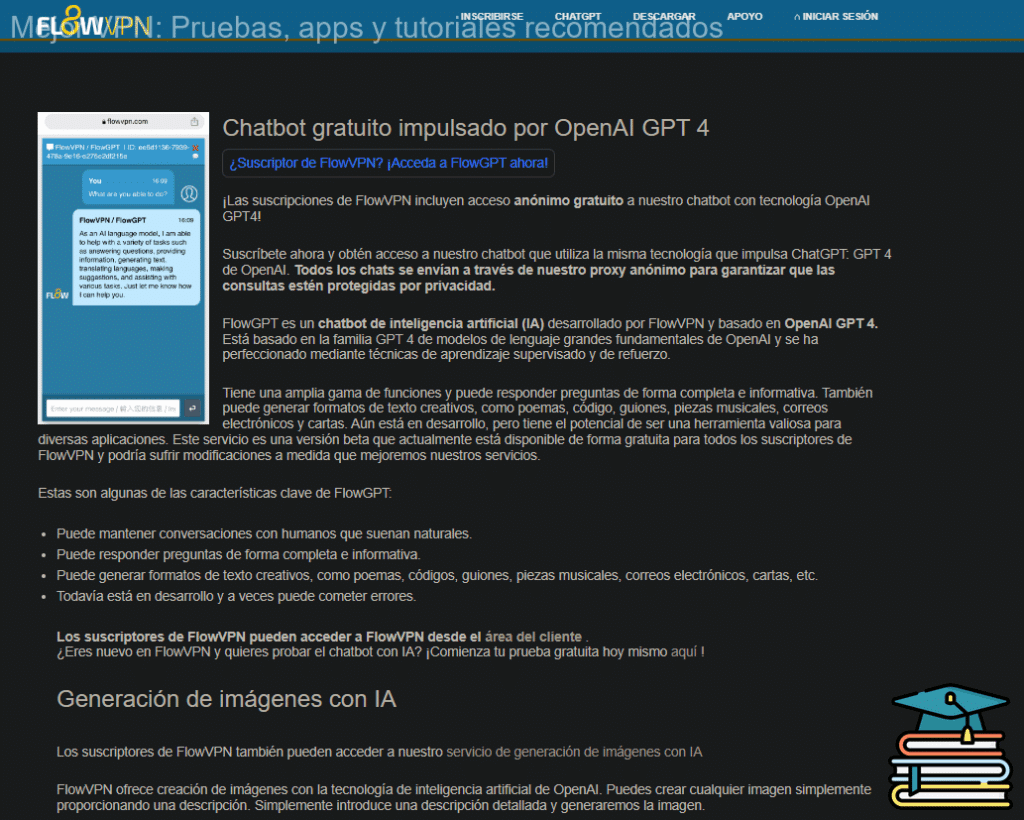
🎨 Bonus Feature: Built-In OpenAI Image Generation
FlowVPN offers a unique extra feature not found in most VPN services:
built-in access to AI image generation powered by OpenAI.
Simply enter a text description and generate original images instantly.
This is especially useful for:
- Content creators
- Students
- Designers
- Social media users
- Anyone experimenting with AI tools
💵 Pricing & Plans
FlowVPN offers flexible, low-cost plans designed to fit individual needs.
Its pricing is especially attractive for:
- Students
- Casual users
- Anyone looking for a budget-friendly VPN with reliable performance
FlowVPN remains one of the best low-cost options on the market.
📺 FlowVPN for Apple TV (tvOS 17 Support)
FlowVPN is the first VPN app specifically designed for Apple TV, taking full advantage of Apple’s new VPN support introduced in tvOS 17.
You can now enjoy secure, private streaming on Apple TV with access to servers in 60+ countries — perfect for watching international content or protecting your home network.
FlowVPN has released its first Apple TV version through Apple’s TestFlight beta program.
How to Install FlowVPN on Apple TV (TestFlight Beta)
- Open TestFlight on your Apple TV and install FlowVPN.
- If you don’t have a FlowVPN account yet, create one and start your free trial.
- Download TestFlight on your iPhone, iPad, or Mac.
- Join the FlowVPN Apple TV beta through the invitation link.
- Install TestFlight from the App Store on your Apple TV running tvOS 17 beta.
FlowVPN’s early support for Apple TV makes it one of the easiest and most flexible VPNs for streaming on large screens.
VPN Blacklist 2026 – The Ones to Avoid (Updated Table + Deep Dives)
Across the entire VPN landscape, there are dozens of services that are either straight-up controversial, chronically broken, or borderline scams. Instead of a boring list, I built a clean table so you can see at a glance which ones to stay away from in September 2026. Quick guide:
| VPN Name | Main Issue in 2026 | Still Works? | Verdict – Why I Nuked It |
|---|---|---|---|
| Lantern | Open-source + history of getting users in trouble | Barely | Too risky, leaks real IP |
| Panda VPN | Outdated protocol, IP leaks in tests | Sometimes | Same tech as old Lantern – hard pass |
| LaoWang / Ace VPN | Multiple arrests linked to users | No | Real-world danger zone |
| Turbo VPN | Logs everything + Chinese ownership | Yes | Data harvesting machine |
| SuperVPN | Actual malware in APK (VirusTotal 12/68) | Yes | Straight-up dangerous |
| Hotspot Shield Free | Ads + proven data selling | Yes | Privacy nightmare |
| VPN Proxy Master | Fake reviews + frequent blocks | Yes | Scam vibes |
| PureVPN | Still dead for most use cases | Rarely | Was good once, now useless |
| Astrill VPN | Insanely expensive + spotty unblocking | Yes | $20/mo for average performance – no |
| Urban VPN | Sells your bandwidth to others | Yes | Turns your PC into an exit node |
| Yoga VPN | Hidden logs + Chinese jurisdiction | Yes | Avoid |
| Hola VPN | Peer-to-peer exit node (uses your IP) | Yes | Literally the worst – still doing it |
| Windscribe Free | 10 GB cap + crowded servers | Yes | Okay for 5 minutes, then useless |
| TunnelBear Free | 2 GB cap – gone in an hour | Yes | Cute bear, useless allowance |
| All “animal” VPNs | Unknown company, no support, vanish fast | Varies | 99 % trash |
I’ll also call out a few of the worst offenders with extra details. If I got something wrong or missed one, tell me – I’ll download it myself, test it, and update the list. My goal is zero misinformation and zero wasted money for you guys. More details:
| Lantern vpn(open source) | Panda VPN(unstable) | acelaowang VPN(Multiple arrests linked to users) | acefotiaoqiang VPN (unstable) | Kitten VPN (unstable) |
| shendengjiasu VPN (unstable) | lightyear VPN(unavaible) | aurora vpn (unstable) | blackhole VPN (unstable) | Turbo VPN (unstable) |
| Astrill VPN(price too high ) | elephant VPN (unstable) | VyprVPN (unstable) | UrbanVPN(free VPN) | |
| IPVanish VPN (price too high) | CyberGhost (price too high) | Proton VPN (unstable) | Windscribe (free VPN) | ants VPN (unstable) |
| 789vpn (unstable) | VPN Proxy Master (unstable) | PureVPN (unstable) | Flyvpn (unstable) | Private VPN (unstable) |
| Kuto VPN (unstable) | 360VPN (unstable) | hotspot shield (免费VPN) | shadowrocket VPN (unstable) | LetsVPN (unstable) |
| GreenVPN (unstable) | tenonvpn (small VPN) | edge VPN (small VPN) | Testflight VPN (unstable) | acexiashi VPN(small VPN) |
| clound VPN (unstable) | VPN hub (unstable) | dog VPN (small VPN) | shadowsocks VPN (small VPN) | PlexVPN (small VPN) |
| seagulltool (risk VPN) | Thunder VPN (unstable) | QuickVPN | Shadowrocket | SuperVPN |
Hola VPN – still turns your device into an exit node for strangers.
SuperVPN – found actual malware in the Android APK (VirusTotal flagged 12/68).
Turbo VPN – logs everything and is owned by a Chinese company with a terrible track record.
If you’ve ever paid for one of these and it flopped, drop a comment – I’ll test it live and add it to the blacklist.
This is incredibly helpful! I’ve been searching for the best VPN to use in China and this updated guide is exactly what I needed. Thanks for the comprehensive review!