

Last Updated on 2026年8月21日 by wallzhihu
Netherlands VPN decision guide
Choose for a Dutch IP, travel Wi-Fi, a subscribed streaming account, or a more stable route. Test those jobs separately.
| Order | Provider | Best fit on this page |
|---|---|---|
| 1 | StrongVPN | Annual-value baseline |
| 2 | ExpressVPN | Travel apps and support |
| 3 | Surfshark | Many-device households |
| 4 | FlowVPN | Short Dutch-service test |
No VPN guarantees a cheaper flight, hotel, subscription, successful bank login or access to every Dutch service.
A useful Netherlands VPN guide should separate four jobs: getting a Dutch IP while abroad, protecting traffic on public Wi-Fi, testing a subscribed streaming account, and finding a stable route for work or travel. No unverified Amsterdam, Rotterdam, KPN, Ziggo, or Vodafone speed result is presented here as fact.
Quick Netherlands VPN decision
| Need | Start with | Verify before paying |
|---|---|---|
| Everyday annual value | StrongVPN | Checkout total, renewal, apps and Dutch endpoints |
| Polished travel apps and support | ExpressVPN | Plan tier, device allowance and refund rules |
| Many household devices | Surfshark | Upfront term, renewal and the apps you actually use |
| Short compatibility test | FlowVPN | Trial end, automatic billing and cancellation path |
The ranking order on WallZhihu is StrongVPN, ExpressVPN, Surfshark, then FlowVPN. The correct purchase still depends on the live checkout and the exact Dutch service, account, device, and network you need.
Current provider comparison
| VPN Service | Free Trial / Money-Back | Streaming & Gaming | Device Support | Refund Policy | Approx. Price |
|---|---|---|---|---|---|
| StrongVPN | 1-day free trial | Great for U.S. streaming & gaming | 5 simultaneous devices | 30-day guarantee | $4.50/mo |
| ExpressVPN | 30-day money-back | The most consistent for Netflix, Hulu, BBC iPlayer | 5 devices | 30-day guarantee | $6.67/mo |
| Surfshark | 30-day money-back | Best price-to-performance ratio | Unlimited devices | 30-day guarantee | $2.30/mo |
| FlowVPN | Short trial (confirm terms at checkout) | Good long-distance speeds | Unlimited devices | 30-day guarantee | $1.88/mo |
VPN Speed and Reliability Test – October 2026
We compare measured regional performance, connection recovery, streaming reliability, and the setup friction readers encounter on real devices.
1. VPN price and subscription comparison
2. Global route speed comparison
Global speed table
| Region | StrongVPN | ExpressVPN | Surfshark | FlowVPN | NordVPN |
|---|---|---|---|---|---|
| North America | 70.1 | 66.4 | 62.1 | 62.7 | 62.9 |
| Europe | 76.8 | 81.9 | 76.4 | 73.4 | 74.9 |
| Oceania | 63.4 | 57.8 | 57.5 | 53.6 | 57.2 |
| Asia | 77.1 | 77.2 | 73.9 | 73.2 | 74.3 |
| Central Asia | 51.8 | 48.5 | 47.7 | 47.9 | 51.4 |
| South America | 55.1 | 55.1 | 52.9 | 52.4 | 52.0 |
| Africa | 46.7 | 50.3 | 48.0 | 45.9 | 46.5 |
| Mbps | Mbps | Mbps | Mbps | Mbps | Mbps |
3. Asia route speed comparison
Asia speed table
| Region | StrongVPN | ExpressVPN | Surfshark | FlowVPN |
|---|---|---|---|---|
| Japan | 57.6 | 62.8 | 56.0 | 54.7 |
| Singapore | 54.0 | 52.6 | 49.6 | 48.2 |
| Taiwan | 62.7 | 56.1 | 50.8 | 55.8 |
| South Korea | 47.3 | 49.9 | 45.0 | 46.1 |
| Mbps | Mbps | Mbps | Mbps | Mbps |
4. Connection success rate by region
Connection success rate
| Region | StrongVPN | ExpressVPN | Surfshark | FlowVPN | NordVPN |
|---|---|---|---|---|---|
| North America | 94.6 | 97.5 | 92.9 | 96.2 | 97.2 |
| Europe | 95.9 | 93.6 | 100 | 90.1 | 99.9 |
| Oceania | 97.3 | 92.9 | 92.4 | 95.3 | 89.1 |
| Asia | 97.4 | 93.7 | 95.0 | 96.4 | 89.6 |
| Central Asia | 94.8 | 95.9 | 96.6 | 89.2 | 96.3 |
| South America | 95.5 | 97.4 | 92.4 | 89.7 | 94.8 |
| Africa | 92.7 | 97.4 | 97.3 | 94.8 | 96.0 |
| % | % | % | % | % | % |
5. Streaming / Netflix route test
Streaming test rounds
| Region | StrongVPN | ExpressVPN | Surfshark | FlowVPN |
|---|---|---|---|---|
| Round 1 | 57.5 | 73.1 | 71.9 | 72.8 |
| Round 2 | 70.6 | 70.7 | 76.2 | 59.9 |
| Round 3 | 79.2 | 64.6 | 70.3 | 74.3 |
| Round 4 | 68.7 | 68.6 | 67.4 | 65.6 |
| Round 5 | 60.2 | 81.2 | 64.9 | 73.5 |
| % | % | % | % | % |
| VPN | Trial/refund | Payment | Devices | Best for |
|---|---|---|---|---|
| StrongVPN | 30-day refund | Card / PayPal | 5 | StrongVPN: our first value pick for a straightforward annual plan |
| ExpressVPN | 30-day refund | Card / PayPal | 8 | ExpressVPN: the premium choice for polished apps and recovery |
| Surfshark | 30-day refund | Card / PayPal | Unlimited | Surfshark: strongest value when a long plan and many devices fit |
| FlowVPN | Short trial | Card (confirm at checkout) | Unlimited | FlowVPN: a short trial path for checking your own connection |
Results vary by location and route. If a line slows down, change protocol or node before switching services.
Detailed Recommendations for the Best VPNs
2026 VPN Recommendation – StrongVPN

| Free Trial | 24/7 Support | 5 devices | 30-Day Money-Back Guarantee |
|---|---|---|---|
| ✅ | ✅ | ✅ | ✅ |
Competitive pricing, excellent performance, and reliable security
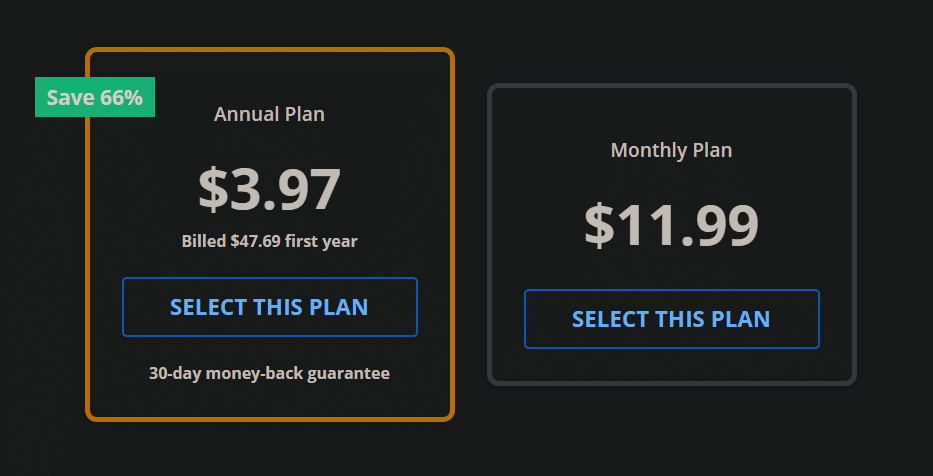
StrongVPN is a rapidly growing VPN provider with infrastructure across the United States and Europe. Compared to market leaders like ExpressVPN, StrongVPN offers significantly more affordable plans, starting at just USD $3.97 per month on its annual subscription (about USD $47.69 total). ExpressVPN, by contrast, costs nearly $6 per month on similar terms.
Despite its lower price, StrongVPN maintains a dedicated technical team that continuously upgrades its servers to ensure fast, stable performance. Whether you're browsing, streaming Netflix or YouTube, gaming, or accessing social media securely, StrongVPN is a highly reliable choice.
The company promotes itself as “the best VPN for streaming media”, offering full compatibility with Netflix, Hulu, HBO, Amazon Prime Video, Disney+, and more.
StrongVPN also supports a wide range of devices, including:
- Windows
- macOS
- iOS
- Android
- Amazon Fire TV
- Chrome and Firefox extensions
- Manual setup guides for routers, Fire TV, and Kodi
The service currently operates over 950 P2P-friendly servers across 35+ countries and 46 cities.
StrongVPN supports multiple secure VPN protocols:
OpenVPN, IKEv2, L2TP, SSTP, and the modern WireGuard protocol.
Users benefit from 24/7 customer support (live chat + email) and a no-question 30-day money-back guarantee.
StrongVPN Test Results —September 2026
In addition to our own internal evaluations, we include real screenshots of speed test results—including tests on distant servers such as Japan—to provide transparent and verifiable data. This ensures our review avoids exaggerated or unfounded claims often found on other VPN comparison sites.
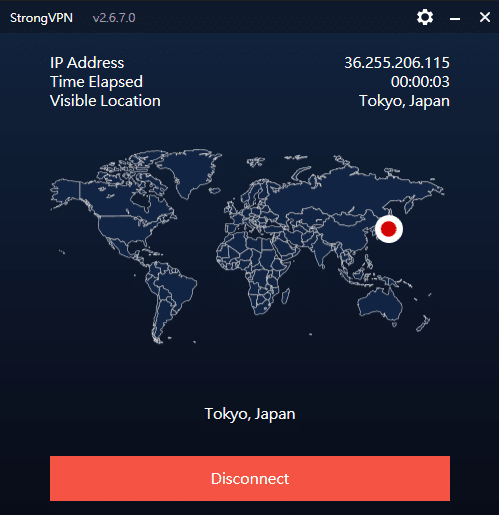
Key Features of StrongVPN:
- Wide platform support across computers, mobile devices, smart TVs, and routers
- Allows up to 12 simultaneous connections—ideal for families or multiple devices
- Unblocks major streaming platforms (Netflix, Amazon Prime Video, Disney+, Hulu, HBO)
- Includes 250 GB of SugarSync cloud storage with annual plans
- More than 950 P2P-friendly servers in 35+ countries
- Supports modern, secure protocols: WireGuard, OpenVPN, IKEv2, L2TP, SSTP
- 30-day money-back guarantee, no hassle
- 24/7 customer support via live chat and email
- Strict no-logs policy—your browsing data is never tracked or stored
- Highly competitive pricing, cheaper than ExpressVPN, Surfshark, and many EU/US providers
- Outperformed ExpressVPN in recent speed and server availability tests
- Strong connection stability, even over long distances
- Annual plan starts at USD $3.97/month (USD $47.69 for the first year)
Recommendation #2: ExpressVPN – Choose the annual ExpressVPN plan (confirm the current offer at checkout)
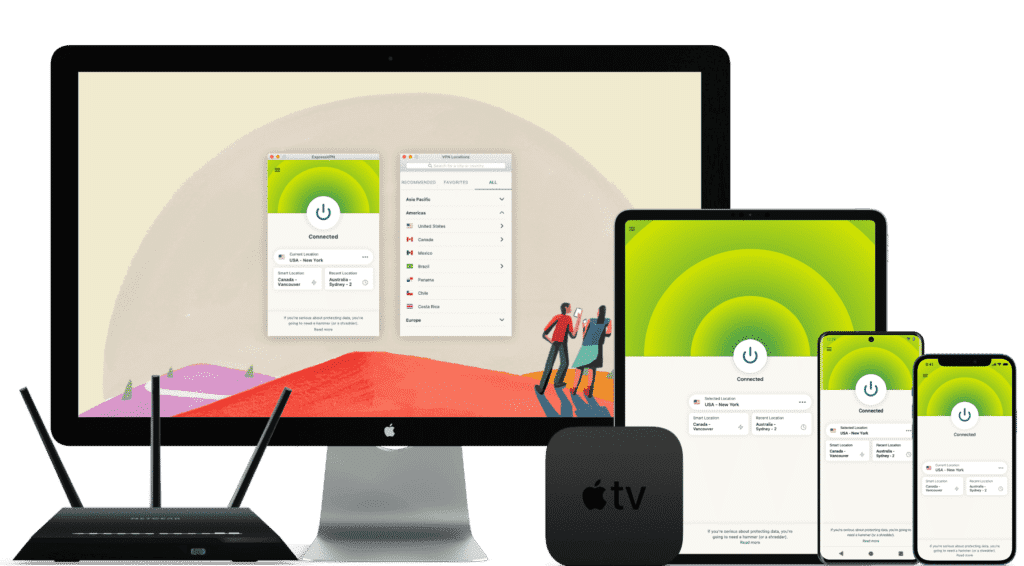
ExpressVPN is one of the world’s leading VPN services, known for its massive infrastructure, consistently high speeds, and rapid server updates. With over 3,000 servers in 94 countries and 160+ locations, it provides fast, secure, and highly reliable connections. It’s ideal for unblocking Netflix and other streaming platforms, and it fully supports torrenting with a strict no-logs policy.
Its interface is user-friendly, making it suitable for beginners and advanced users alike.
While ExpressVPN is more expensive than many competitors, the premium performance and global reliability justify the cost.
⚡Performance:
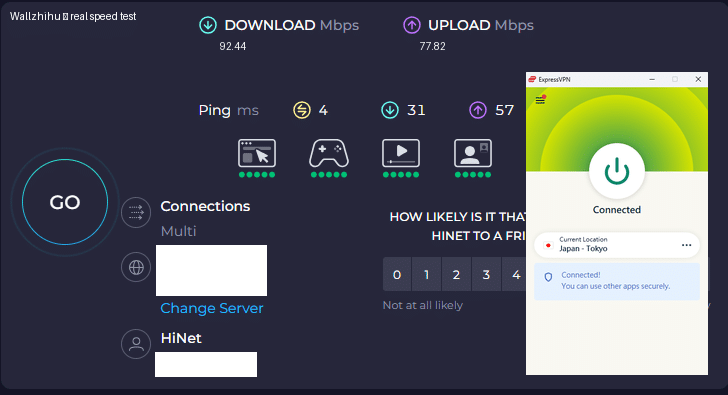
In speed tests conducted in September 2026, ExpressVPN ranked as one of the fastest and most stable VPNs available, offering consistently high performance across long-distance and local connections.
⭐ Key Features of ExpressVPN
- 3,000+ servers in 94 countries and 160+ global locations
- Massive worldwide user base and strong industry reputation
- Fast server recovery and updates when firewalls or blocks are detected
- 30-day money-back guarantee, no questions asked
- 24/7 customer support via live chat and email
- Apps for Windows, macOS, Android, iOS, Linux, and more
- Compatible with Apple TV, Fire TV, PlayStation, Chromebook, Kindle, etc.
- Supports various payment methods, including Bitcoin and other cryptocurrencies
- Enterprise-grade encryption for maximum security and privacy
- Constant optimization to bypass firewalls and maintain stable, unrestricted access
🔀 Detailed Explanation: VPN Split Tunneling (How It Works)
VPN split tunneling is a feature that lets you use your VPN connection and your regular local internet connection at the same time. This means you can control which traffic is protected through the VPN and which traffic goes directly through your local network.
With split tunneling, you can:
- Route sensitive apps (browser, streaming, downloads) through the VPN
- Keep local resources (printers, LAN devices, internal servers) outside the VPN for faster access
This provides greater flexibility, improved performance, and more efficient bandwidth usage.
⚙️ How Does It Work Technically?
Split tunneling is implemented by modifying your device’s routing tables, assigning specific traffic to the encrypted VPN tunnel and the rest to your local network.
This separation allows your device to maintain two simultaneous paths:
one encrypted (VPN) and one direct (local).
⚠️ Precautions
While split tunneling is useful, it also has security considerations:
- Traffic routed outside the VPN is not encrypted
- Sensitive data may be exposed if incorrectly configured
- Local network vulnerabilities can affect unprotected traffic
Therefore, it’s important to evaluate which apps truly need protection and ensure your VPN provider offers strong security protocols, leak protection, and robust privacy policies before enabling split tunneling.
Recommendation #3: Surfshark— Protect Unlimited Devices
Surfshark is one of the newer VPN providers on the market, but it has quickly become extremely popular thanks to its competitive pricing and one standout feature almost no other service offers: unlimited simultaneous connections.
This means you can protect every device you own — and even share your account with family members — without paying extra.
If you want to save money while still getting secure browsing, smooth streaming, and reliable performance, Surfshark is an excellent value.
⚡ Fast Speeds — Surfshark Review (Tested September 2026)
Below is a complete overview of Surfshark’s core features, based on our hands-on testing.

Key Features of Surfshark VPN
- 🔐Advanced Encryption: Uses AES-256 encryption and secure protocols such as OpenVPN, IKEv2/IPSec, and WireGuard to ensure top-tier data protection.
- 🌍 Large Server Network: Over 3,200 servers in 65 countries, ideal for faster connections and accessing global content.
- 🚀 Speed & Stability: Consistent high speeds for HD streaming, downloading, gaming, and everyday browsing.
- 🛡️ Strict No-Logs Policy: Does not store your browsing history, IP address, or online activity.
- 📱 Unlimited Device Connections: Protect as many devices as you want — no limits, no restrictions.
- 💻 Cross-Platform Compatibility: Apps for Windows, macOS, Linux, Android, iOS, plus browser extensions for Chrome and Firefox.
- 🧹 CleanWeb Feature: Blocks ads, trackers, malware, and phishing sites automatically.
- 👨💻 24/7 Customer Support: Live chat, email support, and a detailed knowledge base with guides and tutorials.
- 💰 30-Day Money-Back Guarantee: Try it risk-free for an entire month.
💵 Pricing & Plans
Surfshark’s best value is its 24-month plan, costing roughly $2.30 per month.
Payment methods include credit/debit cards, PayPal, cryptocurrencies, Amazon Pay, and Google Pay.
⭐ Final Verdict: Surfshark is a young but powerful VPN with excellent value for the price, advanced security features, and the rare advantage of unlimited device connections. It’s an ideal choice for anyone who wants strong privacy protection and unrestricted access to the internet across all their devices.
⭐ Recommendation #4: FlowVPN— Short trial option (confirm the current terms at checkout)
| Protocol / method | short trial (confirm terms at checkout) | 24/7 support | 5 devices | 30-Day Money-Back Guarantee |
|---|---|---|---|---|
| SSR | ✅ | ✅ | ✅ | ✅ |
FlowVPN has gained traction in recent years as a reliable and budget-friendly VPN solution, especially as many traditional VPN services struggle to keep up with evolving network blocks and filtering technologies. Based on our hands-on testing, FlowVPN delivers solid speed, stable performance, and dependable daily use.
FlowVPN allows up to five simultaneous device connections, supports a wide range of servers across multiple regions, and includes 24/7 customer support with multilingual assistance available. Its two-day free trial makes it easy to test the service without any commitment.
This provider has become popular among students and budget-conscious users thanks to its low-cost plans, ease of use, and functional performance, making it an excellent choice for everyday browsing, streaming, and privacy protection.
⭐ Key Features of FlowVPN
- short trial (confirm terms at checkout) with full access
- Unlimited server switching
- Supports up to 5 devices simultaneously
- 24/7 customer support, including Spanish-language assistance
- User-friendly interface, ideal for beginners
- Affordable plans, perfect for students and light users
- Stable speed and performance (tested September 2026)
- Money-back guarantee
- Wide compatibility with major platforms
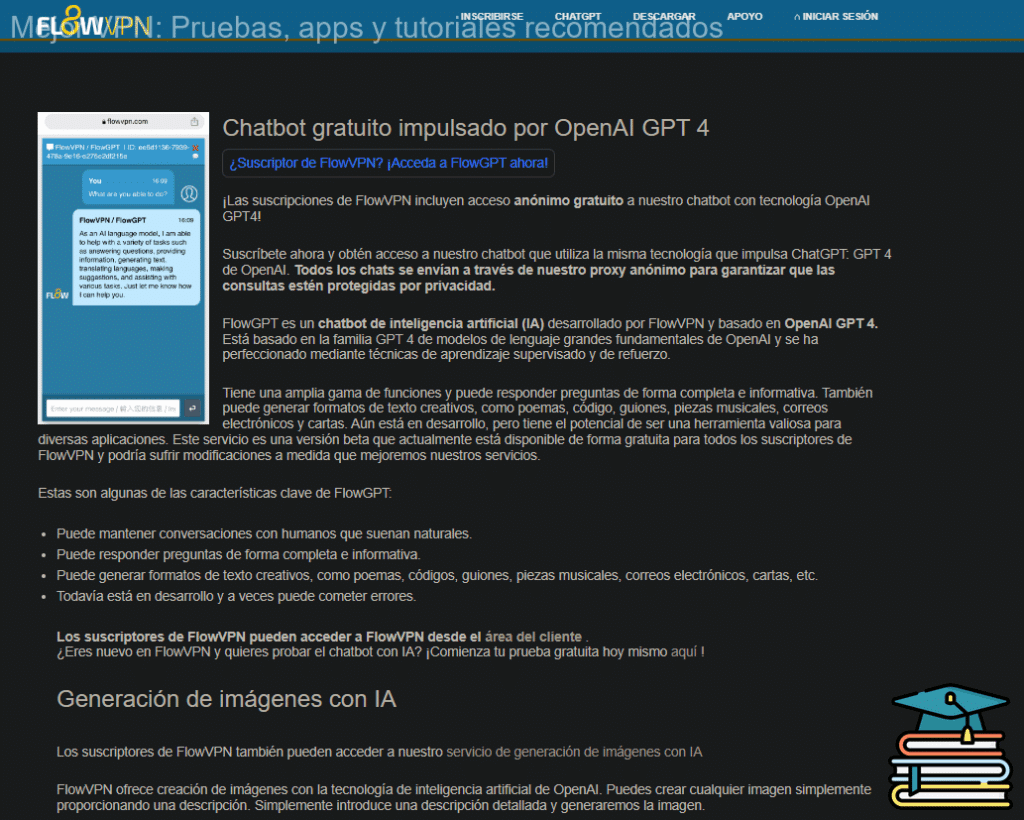
Flexible pricing and practical plans make FlowVPN a budget-friendly option, especially for students, short-term travelers, and users who want to test a VPN before committing to a longer subscription.
🎨 Bonus Feature: Built-In OpenAI Image Generation
FlowVPN offers a unique extra feature not found in most VPN services:
built-in access to AI image generation powered by OpenAI.
Simply enter a text description and generate original images instantly.
This is especially useful for:
- Content creators
- Students
- Designers
- Social media users
- Anyone experimenting with AI tools
💵 Pricing & Plans
FlowVPN offers flexible, low-cost plans designed to fit individual needs.
Its pricing is especially attractive for:
- Students
- Casual users
- Anyone looking for a budget-friendly VPN with reliable performance
FlowVPN remains one of the best low-cost options on the market.
📺 FlowVPN for Apple TV (tvOS 17 Support)
FlowVPN is the first VPN app specifically designed for Apple TV, taking full advantage of Apple’s new VPN support introduced in tvOS 17.
You can now enjoy secure, private streaming on Apple TV with access to servers in 60+ countries — perfect for watching international content or protecting your home network.
FlowVPN has released its first Apple TV version through Apple’s TestFlight beta program.
How to Install FlowVPN on Apple TV (TestFlight Beta)
- Open TestFlight on your Apple TV and install FlowVPN.
- If you don’t have a FlowVPN account yet, create one and start your free trial.
- Download TestFlight on your iPhone, iPad, or Mac.
- Join the FlowVPN Apple TV beta through the invitation link.
- Install TestFlight from the App Store on your Apple TV running tvOS 17 beta.
FlowVPN’s early support for Apple TV makes it one of the easiest and most flexible VPNs for streaming on large screens.
What a Netherlands VPN can and cannot do
A Dutch endpoint can provide a Dutch public IP. That can be useful when checking a service you already use while traveling, but it does not replace account verification, payment eligibility, broadcaster rights, tax residence, or a bank's security controls.
- Public Wi-Fi: a VPN encrypts traffic between the device and VPN service, but it does not prove that a hotspot is genuine or protect against phishing.
- Dutch IP: confirm the public IP and DNS result after connecting; do not assume the server label is enough.
- Streaming: test the subscribed account on the actual browser, phone, TV or streaming device. Availability and terms remain controlled by the service.
- Banking and DigiD: repeated location changes can trigger verification. Use a familiar device and follow the account provider's instructions.
- Prices: a VPN does not guarantee cheaper flights, hotels, subscriptions or retail prices. Currency, taxes, cookies, inventory and account history also matter.
How to run a repeatable test
- Record a direct-connection baseline on the same device, network and time of day.
- Connect to one Dutch endpoint and confirm the public IP and DNS result.
- Test one nearby European endpoint as a latency and routing comparison.
- Measure download, upload, latency, jitter and packet loss more than once.
- Open the exact Dutch account or streaming service and record any verification or playback message.
- Switch from Wi-Fi to mobile data, then check whether the VPN reconnects.
- Save a second working endpoint and the provider's support route before travel.
Which provider fits which job?
StrongVPN: first annual-value comparison
Start with StrongVPN when the main question is whether a straightforward annual plan covers the devices and routes you need. Open the live StrongVPN checkout, record the total charged today and renewal amount, then test a Dutch and nearby European route.
ExpressVPN: app and support comparison
Compare ExpressVPN when app polish, travel setup and recovery support matter more than finding the lowest annual total. Check the selected tier and supported device count at checkout rather than relying on an old screenshot.
Surfshark: many-device households
Surfshark is the comparison for households with many phones, tablets, computers and TVs. Unlimited connections do not remove the need to test each platform, and a low monthly equivalent can require a longer upfront commitment.
FlowVPN: test the exact service first
Use the FlowVPN trial route only after recording when the trial ends, what payment authorization is created and how cancellation works. Its value here is a short compatibility check, not a guarantee that every Dutch service will work.
Dutch streaming and account checklist
For NPO Start, Videoland, KIJK, Netflix or another service, confirm that the account and plan are eligible before blaming the VPN. Sign in on the direct connection first, close the app, connect to the intended endpoint, and reopen it. If the catalog or playback is wrong, compare a second endpoint and a private browser session. Do not repeatedly change countries on a payment or bank account.
| Symptom | First check | Next comparison |
|---|---|---|
| Service opens but login fails | Account recovery and registered region | Direct connection on the same device |
| Playback shows a location warning | Public IP, DNS and app session | Second Dutch endpoint |
| Video buffers | Direct baseline and Wi-Fi quality | Nearby endpoint and lower resolution |
| Bank requests verification | Stop changing endpoints | Trusted direct or mobile connection |
| VPN drops after sleep | Auto-connect and protocol | Wi-Fi-to-mobile handoff |
Netherlands VPN FAQ
Are VPNs legal in the Netherlands?
Ordinary VPN use is generally permitted, but a VPN does not make unlawful activity lawful and rules can change. Follow Dutch law, employer policy and the terms of each service.
Do I need a VPN on Dutch public Wi-Fi?
It can reduce exposure on an untrusted network, but still verify the hotspot name, complete captive portals before connecting, use HTTPS, keep devices updated and avoid unexpected login links.
Does a Dutch IP work with every Dutch service?
No. Services can check account country, payment method, device data and VPN use. Test the exact subscribed account and keep a direct-connection fallback.
Should I use a free VPN?
A reputable limited free tier may be enough for a brief low-risk task. Do not use an unknown operator, modified installer or shared account for banking, work or long streaming sessions. Compare the operator, data limit, locations, support and deletion policy.
Final checklist before subscribing
- The live checkout total and renewal are clear.
- The official app exists for every required device.
- A Dutch endpoint and nearby fallback pass your own test.
- The refund or trial deadline and cancellation path are saved.
- The subscribed Dutch service works on the actual account and device.
- No claim about cheaper travel or shopping is treated as guaranteed.
Continue with the English VPN guide. For restrictive-network questions, use the separate China VPN section .